

About this listing
Wells Fargo Mobile® is listed with version, update, developer, screenshots, permissions, source, and compatibility details from the available app metadata.
APK and source facts
Before you install
- Android requirement is not listed in the current data.
- Package size is not listed in the current data.
- The source link points to a Google Play listing.
Listing evidence
Wells Fargo Mobile® includes version 26.01.00.55, last update Jan 24, 2026, 24 screenshots, privacy policy link in the current metadata.
The current metadata notes that permission list is not available.
FungoApp review for Wells Fargo Mobile®
Wells Fargo Mobile® by Wells Fargo Mobile is listed in Finance. This page organizes the available metadata into a practical review format, including version 26.01.00.55, Android requirement not listed, update date Jan 24, 2026, rating 4.8 out of 5, and install signal 10,000,000+.
Compare Android money apps by checking developer transparency, account requirements, security signals, update history, and permission requests before connecting financial data. For Wells Fargo Mobile®, use the details below as a checklist before you decide whether the app fits your device, privacy expectations, and use case.
Install decision context for Wells Fargo Mobile®
Wells Fargo Mobile® is best reviewed as a Finance listing from Wells Fargo Mobile, not as a direct APK file from FungoApp. The current signals show version 26.01.00.55, Android requirement not listed, last update Jan 24, 2026, rating 4.8 out of 5, install signal 10,000,000+, and monetization that contains ads and does not list in-app purchases in the current data. Use those signals together: a popular listing can still be a poor fit if the permissions, update age, or account requirements do not match your intended use.
Use-case fit analysis
Wells Fargo Mobile® is presented around this purpose: "Wells Fargo Mobile allows you to access your investment and bank accounts." A good fit is more likely when that purpose matches the category, screenshots, version history, and the kind of access the app requests. If you only need a narrow task, compare this listing with simpler alternatives before leaving FungoApp for the external source.
Permissions and privacy interpretation
Wells Fargo Mobile® does not include a permission list in the current FungoApp data. That missing field reduces review confidence, so readers should check the Android install prompt and source listing before using personal data or granting sensitive access.
Version and update interpretation
The listing shows version 26.01.00.55, updated Jan 24, 2026, package size not listed, and Android requirement not listed. Newer updates can indicate maintenance, but the practical question is whether the listed Android requirement fits your device and whether recent changes explain why the app needs its current permissions and storage footprint.
Screenshot review prompts
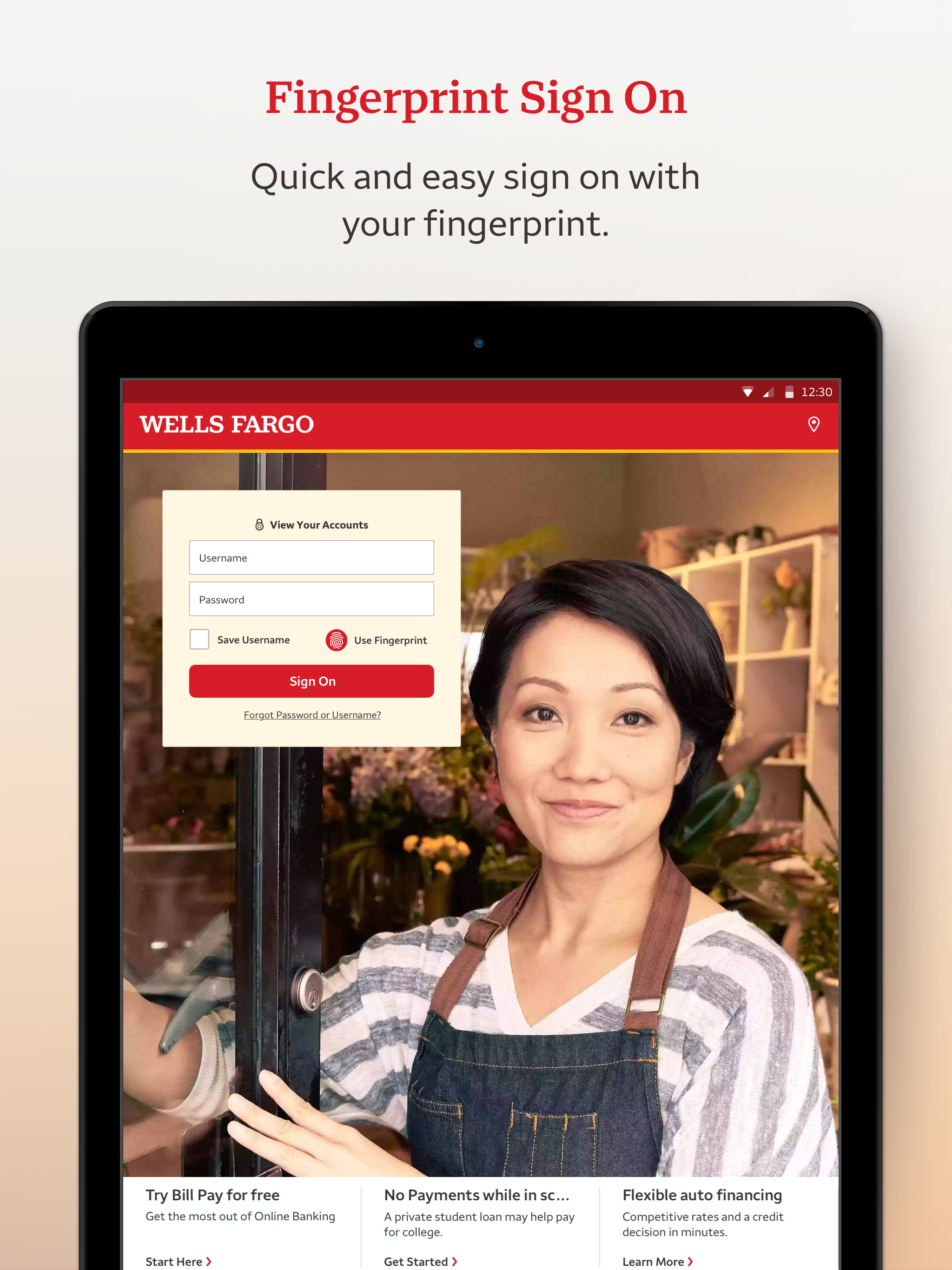
Wells Fargo Mobile® includes 24 screenshots in the current listing data. Use them to confirm the interface, account prompts, ads, paywalls, editing tools, game style, or workflow before you open the source page. Screenshots are evidence of presentation, not independent proof of package behavior.
Use case fit
Wells Fargo Mobile® is summarized as: "Wells Fargo Mobile allows you to access your investment and bank accounts." Compare that promise with the screenshots, category, update notes, and related apps before installing.
Version and compatibility
The listing shows version 26.01.00.55, Android requirement not listed, package size not listed, and last update Jan 24, 2026. These details matter because older devices, large packages, and stale updates can change the install experience.
Privacy and permissions
Wells Fargo Mobile® does not include a permission list in the current metadata, so review the source listing and Android install prompt carefully.
Review checklist
- Confirm the developer name and source listing before installing.
- Review version, Android requirement, package size, and update date.
- Compare requested permission access with the feature you actually need.
- Read recent change notes and ratings as signals, not as guarantees of safety.
Comparison prompts
- Compare Wells Fargo Mobile®'s developer and source link with other Finance options before installing.
- Check whether version 26.01.00.55 and Android not listed match your device.
- Review the source listing carefully because FungoApp does not currently have a permission list for this app.
- Compare against related listings such as Money Saver - Savings Goal and Savings Goal for feature scope and privacy tradeoffs.
Publisher notes
- FungoApp organizes public listing metadata into review notes and comparison checklists for Wells Fargo Mobile®.
- FungoApp does not host the APK file, modify the app package, or claim independent file verification from the current data.
- The 4.8 rating with 2,811,917 rating entries is a useful popularity signal, but it should still be checked against update date, permissions, and the source listing. 10,000,000+ installs indicate broad usage, which helps with discovery but does not prove the package is appropriate for every device or privacy expectation.
Developer-provided description
•Access your cash, credit, and investment accounts with Fingerprint Sign On¹ or Biometric Sign on¹
•Review activity and balances
•View your credit card transactions and manage your rewards
•Easily activate or turn cards on or off², add cards to digital wallets³, view recurring payments, and manage account access with Card Settings
Deposit Funds⁴
•Deposit checks using your Android™ camera
•Instantly view the processing deposit in your account
Make Transfers and Payments
•Transfer funds between your Wells Fargo accounts and to other financial institutions⁵
•Send and receive money with friends and family using a U.S. mobile phone number or email address with Zelle®⁶
•Pay your bills
Track Investments
•Monitor balances, holdings, account activity, and open orders for your WellsTrade® accounts
•Get real-time quotes, charts, and market data
Stay Secure
•Visit the Security Center to report fraud and maintain safe accounts
•Manage alerts⁷
•Get notified of suspicious card activity with alerts
•Access to your FICO® Credit Score
Contact Us
•Email [email protected]
•Locate one of more than 12,700 ATMs or find one of our approximately 4,800 branches
•Set up an appointment to meet with a Banker
____________________________
Screens are simulated.
1.Only certain devices are eligible to enable Fingerprint Sign On or Biometric Sign On.
2.Turning your card off is not a replacement for reporting your card lost or stolen.
3.Not all smartphones are enabled to use a digital wallet. Your mobile carrier's message and data rates may apply.
4.Some accounts are not eligible for mobile deposit. Deposit limits and other restrictions apply.
5.Terms and conditions apply. See Wells Fargo’s Online Access Agreement for more information.
6. Mobile numbers may need to be enrolled with Zelle® before they can be used. Available to U.S.-based bank account holders only.
7.Sign-up may be required.
8.Some features not offered on all devices or to all users.
Android, Google Play, Chrome, Pixel and other marks are trademarks of Google LLC.
FICO is a registered trademark of Fair Isaac Corporation in the United States and other countries.
Zelle® and the Zelle® related marks are wholly owned by Early Warning Services, LLC and are used herein under license.
Investment and Insurance Products are:
•Not Insured by the FDIC or Any Federal Government Agency
•Not a Deposit or Other Obligation of, or Guaranteed by, the Bank or Any Bank Affiliate
•Subject to Investment Risks, Including Possible Loss of the Principal Amount Invested
DEPOSIT PRODUCTS OFFERED BY WELLS FARGO BANK, N.A. MEMBER FDIC.
Investment products and services are offered through Wells Fargo Advisors. Wells Fargo Advisors is a trade name used by Wells Fargo Clearing Services, LLC (WFCS) and Wells Fargo Advisors Financial Network, LLC, Members SIPC, separate registered broker-dealers and non-bank affiliates of Wells Fargo & Company. WellsTrade(R) and Intuitive Investor(R) accounts are available through WFCS.
Use of stock symbols is for illustrative purposes only and not a recommendation.
9.$0 per trade is applicable to commissions for online and automated telephone trading of stocks and exchange-traded funds (ETFs). For stock and ETF trades placed with an agent over the telephone, a $25 agent-assisted trading fee is charged. Each trade order will be treated as a separate transaction subject to commission. An order that executes over multiple trading days may be subject to additional commission. One commission will be assessed for multiple trades, entered separately, that execute on the same day, on the same side of the market. Other fees and commissions apply to a WellsTrade account. Schedule subject to change at any time.
RSNIP-02212027-8313203.1.1
Requirements (Latest version)
Android requirement is not listed in the current metadata.