



About this listing
Google Ads is listed with version, update, developer, screenshots, permissions, source, and compatibility details from the available app metadata.
Before you install
- Android requirement is not listed in the current data.
- Package size is not listed in the current data.
- The source link points to a Google Play listing.
Listing evidence
Google Ads includes version Varies with device, last update Jan 22, 2026, 4 screenshots, privacy policy link in the current metadata.
The current metadata notes that permission list is not available.
Google Ads app information and review notes
Google Ads by Google LLC is listed in Business. This page organizes the available metadata into a practical review format, including version Varies with device, Android requirement not listed, update date Jan 22, 2026, rating 4.2 out of 5, and install signal 10,000,000+.
Compare business apps for communication, documents, workflow, CRM, invoicing, and team operations while checking account requirements, data handling, and permissions. For Google Ads, use the details below as a checklist before you decide whether the app fits your device, privacy expectations, and use case.
Use case fit
Google Ads is summarized as: "Stay connected to your Google Ads campaigns on the go." Compare that promise with the screenshots, category, update notes, and related apps before installing.
Version and compatibility
The listing shows version Varies with device, Android requirement not listed, package size not listed, and last update Jan 22, 2026. These details matter because older devices, large packages, and stale updates can change the install experience.
Privacy and permissions
Google Ads does not include a permission list in the current metadata, so review the source listing and Android install prompt carefully.
Review checklist
- Confirm the developer name and source listing before installing.
- Review version, Android requirement, package size, and update date.
- Compare requested permission access with the feature you actually need.
- Read recent change notes and ratings as signals, not as guarantees of safety.
App description
Use the Google Ads app to:
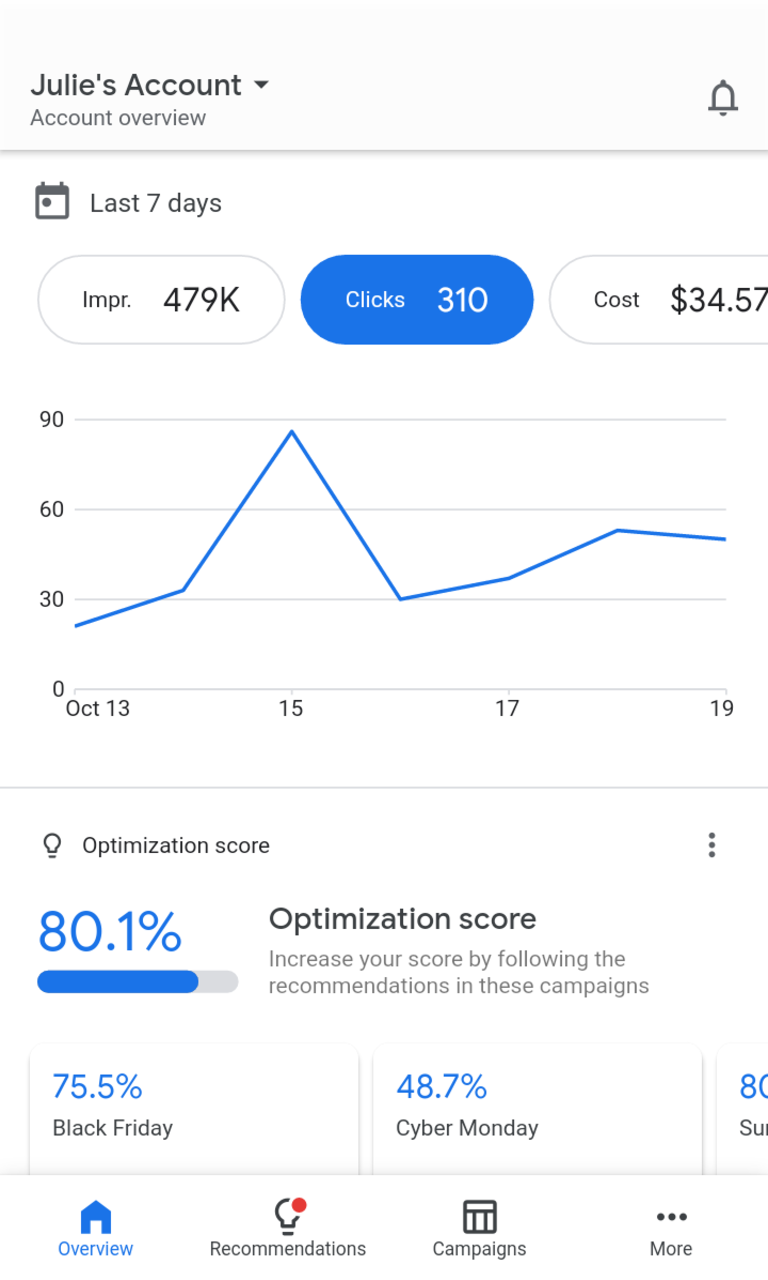
* View and monitor your ad performance and campaign stats on the go, such as conversions, impressions, and clicks
* Manage and make quick updates to campaigns, bids, budgets, keywords, and more
* Create, add, and edit ads to drive sales, reach new online users and customers, and grow your business
* See your optimization score and apply recommendations based on strategic insights
* Get real-time notifications and alerts, such as performance summaries or ad disapprovals
* Call or chat with an expert for support, wherever you may be
Download the Google Ads mobile app to get the most out of your account today!
Requirements (Latest version)
• Requires Android 5.0 or higher


