




About this listing
Microsoft Authenticator is listed with version, update, developer, screenshots, permissions, source, and compatibility details from the available app metadata.
APK and source facts
Before you install
- Android requirement is not listed in the current data.
- Package size is not listed in the current data.
- The source link points to a Google Play listing.
Listing evidence
Microsoft Authenticator includes version 6.2601.0189, last update Jan 14, 2026, 19 screenshots, privacy policy link in the current metadata.
The current metadata notes that permission list is not available.
FungoApp APK review notes
Microsoft Authenticator APK listing review
Microsoft Authenticator APK listing review
Microsoft Authenticator is a Business app from Microsoft Corporation with the package name `com.azure.authenticator`. The listing describes multi-factor authentication, two-factor approval notifications, time-based one-time passwords, passwordless sign-in, fingerprint, face, or PIN verification, support for Microsoft personal, work, and school accounts, non-Microsoft accounts, device registration, certificate-based authentication, and access to Microsoft services such as Outlook, OneDrive, and Office.
Listing Profile
The local metadata shows version 6.2601.0189, an update date of January 13, 2026, and a release date of January 13, 2015. Installs are listed at 100,000,000+ with a score around 4.66 from 2,498,233 ratings. This is a major security app, and reliability matters because users may be locked out without it.
MFA And OTP Basics
The app provides a second proof during login. Users may approve a push notification or enter a 30-second one-time password. OTP codes can work without a network connection after setup, while push approvals need connectivity. Both methods improve account safety when paired with a strong password and secure phone.
Passwordless And Biometrics
Passwordless sign-in uses the phone as the primary approval device with fingerprint, face, or PIN as local proof. This can reduce password phishing, but the phone becomes more important. A lost, replaced, reset, or unmanaged device can interrupt access unless backup and recovery methods are prepared.
Work And School Enrollment
The listing says organizations may require installing the app, registering the device, or using certificate-based authentication. That can give the organization security assurance, but employees should understand device management policies, compliance checks, sign-in logs, and what data the workplace can see through its identity system.
Recovery Planning
Authenticator apps should never be the only recovery path without thought. Users should add backup methods, store recovery codes securely, test cloud backup if used, and know how to transfer accounts to a new phone. Work accounts may require IT help, so recovery instructions should be checked before a device change.
Cost And Permissions
The metadata marks Microsoft Authenticator as free with no ads and no in-app purchases. Expected permissions may include camera for QR setup, notifications for approvals, biometrics through the device, network, and account-related access. Users should treat unexpected permission prompts carefully.
Review Checks
Confirm the package `com.azure.authenticator`, developer name, current version, privacy policy, backup options, notification reliability, live permissions, device registration requirements, and work account policies. Recent reviews should be checked for approval delays, backup failures, lockouts, QR setup issues, and migration problems.
FungoApp Review View
Microsoft Authenticator is high-value security infrastructure, not a casual utility. The review should emphasize MFA benefits, recovery planning, passwordless tradeoffs, work device registration, notification reliability, offline OTP behavior, and the risk of depending on one phone without backup methods.
FungoApp review for Microsoft Authenticator
Microsoft Authenticator by Microsoft Corporation is listed in Business. This page organizes the available metadata into a practical review format, including version 6.2601.0189, Android requirement not listed, update date Jan 14, 2026, rating 4.7 out of 5, and install signal 100,000,000+.
Compare business apps for communication, documents, workflow, CRM, invoicing, and team operations while checking account requirements, data handling, and permissions. For Microsoft Authenticator, use the details below as a checklist before you decide whether the app fits your device, privacy expectations, and use case.
Install decision context for Microsoft Authenticator
Microsoft Authenticator is best reviewed as a Business listing from Microsoft Corporation, not as a direct APK file from FungoApp. The current signals show version 6.2601.0189, Android requirement not listed, last update Jan 14, 2026, rating 4.7 out of 5, install signal 100,000,000+, and monetization that does not list ads in the current data and does not list in-app purchases in the current data. Use those signals together: a popular listing can still be a poor fit if the permissions, update age, or account requirements do not match your intended use.
Use-case fit analysis
Microsoft Authenticator is presented around this purpose: "No more passwords, easier sign-in, and greater protection for your accounts." A good fit is more likely when that purpose matches the category, screenshots, version history, and the kind of access the app requests. If you only need a narrow task, compare this listing with simpler alternatives before leaving FungoApp for the external source.
Permissions and privacy interpretation
Microsoft Authenticator does not include a permission list in the current FungoApp data. That missing field reduces review confidence, so readers should check the Android install prompt and source listing before using personal data or granting sensitive access.
Version and update interpretation
The listing shows version 6.2601.0189, updated Jan 14, 2026, package size not listed, and Android requirement not listed. Newer updates can indicate maintenance, but the practical question is whether the listed Android requirement fits your device and whether recent changes explain why the app needs its current permissions and storage footprint.
Screenshot review prompts
Microsoft Authenticator includes 19 screenshots in the current listing data. Use them to confirm the interface, account prompts, ads, paywalls, editing tools, game style, or workflow before you open the source page. Screenshots are evidence of presentation, not independent proof of package behavior.
Use case fit
Microsoft Authenticator is summarized as: "No more passwords, easier sign-in, and greater protection for your accounts." Compare that promise with the screenshots, category, update notes, and related apps before installing.
Version and compatibility
The listing shows version 6.2601.0189, Android requirement not listed, package size not listed, and last update Jan 14, 2026. These details matter because older devices, large packages, and stale updates can change the install experience.
Privacy and permissions
Microsoft Authenticator does not include a permission list in the current metadata, so review the source listing and Android install prompt carefully.
Review checklist
- Confirm the developer name and source listing before installing.
- Review version, Android requirement, package size, and update date.
- Compare requested permission access with the feature you actually need.
- Read recent change notes and ratings as signals, not as guarantees of safety.
Comparison prompts
- Compare Microsoft Authenticator's developer and source link with other Business options before installing.
- Check whether version 6.2601.0189 and Android not listed match your device.
- Review the source listing carefully because FungoApp does not currently have a permission list for this app.
- Compare against related listings such as Microsoft Teams and Power Automate for feature scope and privacy tradeoffs.
Publisher notes
- FungoApp organizes public listing metadata into review notes and comparison checklists for Microsoft Authenticator.
- FungoApp does not host the APK file, modify the app package, or claim independent file verification from the current data.
- The 4.7 rating with 2,498,046 rating entries is a useful popularity signal, but it should still be checked against update date, permissions, and the source listing. 100,000,000+ installs indicate broad usage, which helps with discovery but does not prove the package is appropriate for every device or privacy expectation.
Developer-provided description
Getting started with multi-factor authentication
Multi factor authentication (MFA) or two factor authentication (2FA) provides a second layer of security. When logging in with multi-factor authentication, you’ll enter your password, and then you’ll be asked for an additional way to prove it’s really you. Either approve the notification sent to the Microsoft Authenticator, or enter the one-time password (OTP) generated by the app. The one-time passwords (OTP codes) have a 30 second timer counting down. This timer is so you never have to use the same time-based one-time password (TOTP) twice and you don’t have to remember the number. The one-time password (OTP) doesn’t require you to be connected to a network, and it won’t drain your battery. You can add multiple accounts to your app, including non-Microsoft accounts like Facebook, Amazon, Dropbox, Google, LinkedIn, GitHub, and more.
Getting started with passwordless
Use your phone, not your password, to log into your Microsoft account. Just enter your username, then approve the notification sent to your phone. Your fingerprint, face ID, or PIN will provide a second layer of security in this two-step verification process. After you’ve signed in with two factor authentication (2FA), you’ll have access to all your Microsoft products and services, such as Outlook, OneDrive, Office, and more.
Microsoft personal, work or school accounts
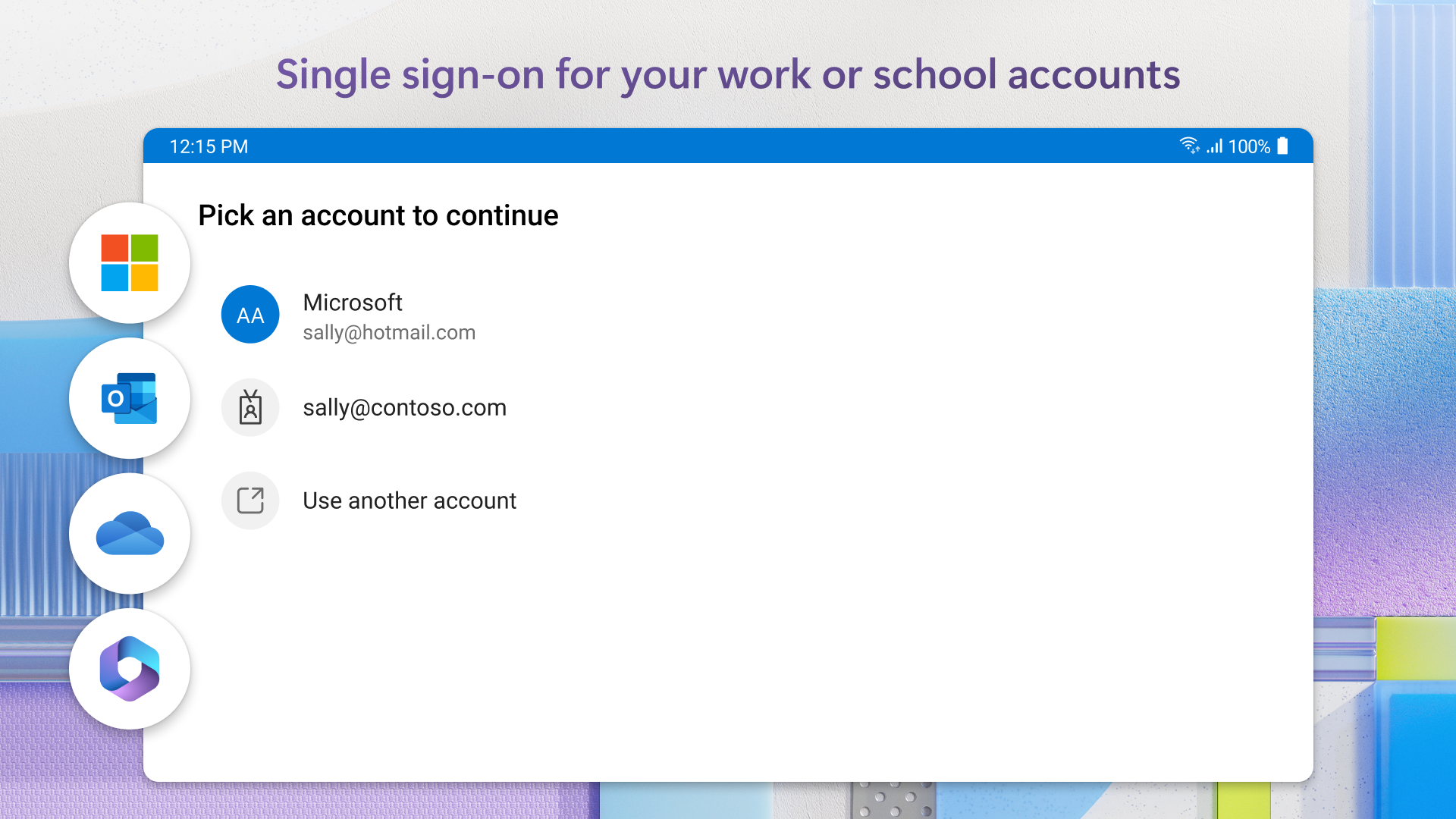
Sometimes your work or school might ask you to install the Microsoft Authenticator when accessing certain files, emails, or apps. You will need to register your device to your organization through the app and add your work or school account. Microsoft Authenticator also supports cert-based authentication by issuing a certificate on your device. This will let your organization know that the sign-in request is coming from a trusted device and help you seamlessly and securely access additional Microsoft apps and services without needing to log into each. Because Microsoft Authenticator supports single sign-on, once you have proven your identity once, you will not need to log in again to other Microsoft apps on your device.
Optional Access permissions:
Microsoft Authenticator includes the following optional access permissions. All these require user consent. If you choose to not grant these optional access permissions, you can still use Microsoft Authenticator for other services that do not require such permission. For more information see https://aka.ms/authappfaq
Accessibility Service: Used to optionally support features on more apps and sites.
Location: Sometimes your organization wants to know your location before allowing you to access certain resources. The app will request this permission only if your organization has a policy requiring location.
Camera: Used to scan QR codes when you add a work, school, or non-Microsoft account.
Read the contents of your storage: This permission is only used when you report a technical problem through the app settings. Some information from your storage is collected to diagnose the issue.
Requirements (Latest version)
Android requirement is not listed in the current metadata.


