

Video Preview




About this listing
AIO Launcher is listed with version, update, developer, screenshots, permissions, source, and compatibility details from the available app metadata.
APK and source facts
Before you install
- Android requirement is not listed in the current data.
- Package size is not listed in the current data.
- The source link points to a Google Play listing.
Listing evidence
AIO Launcher includes version 6.2.0, last update Jan 29, 2026, 15 screenshots, privacy policy link in the current metadata.
The current metadata notes that permission list is not available.
FungoApp review for AIO Launcher
AIO Launcher by AIO Mobile Soft is listed in Personalization. This page organizes the available metadata into a practical review format, including version 6.2.0, Android requirement not listed, update date Jan 29, 2026, rating 4.5 out of 5, and install signal 1,000,000+.
Browse Android app listings with metadata, source links, version details, compatibility notes, screenshots, and permission signals that help you compare apps before installing. For AIO Launcher, use the details below as a checklist before you decide whether the app fits your device, privacy expectations, and use case.
Install decision context for AIO Launcher
AIO Launcher is best reviewed as a Personalization listing from AIO Mobile Soft, not as a direct APK file from FungoApp. The current signals show version 6.2.0, Android requirement not listed, last update Jan 29, 2026, rating 4.5 out of 5, install signal 1,000,000+, and monetization that does not list ads in the current data and offers in-app purchases. Use those signals together: a popular listing can still be a poor fit if the permissions, update age, or account requirements do not match your intended use.
Use-case fit analysis
AIO Launcher is presented around this purpose: "All you need on a single home screen" A good fit is more likely when that purpose matches the category, screenshots, version history, and the kind of access the app requests. If you only need a narrow task, compare this listing with simpler alternatives before leaving FungoApp for the external source.
Permissions and privacy interpretation
AIO Launcher does not include a permission list in the current FungoApp data. That missing field reduces review confidence, so readers should check the Android install prompt and source listing before using personal data or granting sensitive access.
Version and update interpretation
The listing shows version 6.2.0, updated Jan 29, 2026, package size not listed, and Android requirement not listed. Newer updates can indicate maintenance, but the practical question is whether the listed Android requirement fits your device and whether recent changes explain why the app needs its current permissions and storage footprint.
Screenshot review prompts
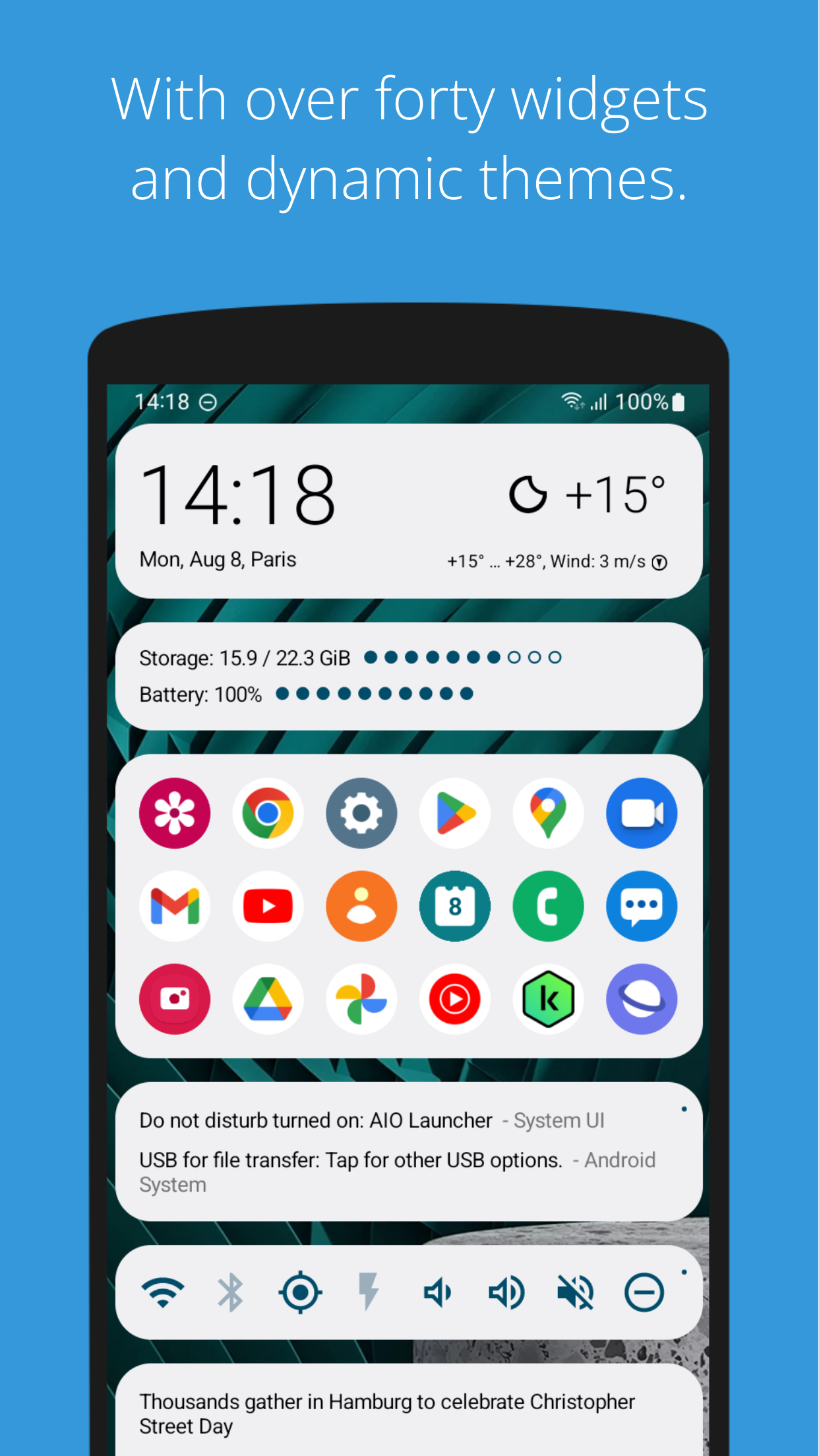
AIO Launcher includes 15 screenshots in the current listing data. Use them to confirm the interface, account prompts, ads, paywalls, editing tools, game style, or workflow before you open the source page. Screenshots are evidence of presentation, not independent proof of package behavior.
Use case fit
AIO Launcher is summarized as: "All you need on a single home screen" Compare that promise with the screenshots, category, update notes, and related apps before installing.
Version and compatibility
The listing shows version 6.2.0, Android requirement not listed, package size not listed, and last update Jan 29, 2026. These details matter because older devices, large packages, and stale updates can change the install experience.
Privacy and permissions
AIO Launcher does not include a permission list in the current metadata, so review the source listing and Android install prompt carefully.
Review checklist
- Confirm the developer name and source listing before installing.
- Review version, Android requirement, package size, and update date.
- Compare requested permission access with the feature you actually need.
- Read recent change notes and ratings as signals, not as guarantees of safety.
Comparison prompts
- Compare AIO Launcher's developer and source link with other Personalization options before installing.
- Check whether version 6.2.0 and Android not listed match your device.
- Review the source listing carefully because FungoApp does not currently have a permission list for this app.
- Compare against related listings such as Stylish Text and Stylish Fonts and Aesthetic Wallpaper for Girls for feature scope and privacy tradeoffs.
Publisher notes
- FungoApp organizes public listing metadata into review notes and comparison checklists for AIO Launcher.
- FungoApp does not host the APK file, modify the app package, or claim independent file verification from the current data.
- The 4.5 rating with 16,617 rating entries is a useful popularity signal, but it should still be checked against update date, permissions, and the source listing. 1,000,000+ installs indicate broad usage, which helps with discovery but does not prove the package is appropriate for every device or privacy expectation.
Developer-provided description
AIO Launcher isn’t just a home screen — it’s a powerful tool for those who want to use their phone more efficiently. A minimalist, fast, and thoughtful interface that shows only what matters and helps you save time.
Why AIO is better:
- Information, not icons. A screen full of useful data instead of a grid of apps.
- Flexible and customizable. Make it your own in just a few minutes.
- Fast and lightweight. No unnecessary animations or slowdowns.
- Private and secure. No tracking, ever.
What AIO Launcher can do:
- 30+ built-in widgets: Weather, notifications, messengers, tasks, finance, and much more.
- Tasker integration and Lua scripting for automating your daily routines.
- Built-in ChatGPT integration — smart replies, automation, and assistance with zero effort.
- Powerful search: Look through the web, apps, contacts, widgets — all in one place.
One developer. More focus. Maximum speed.
I build AIO Launcher alone, and it’s my top priority. Bugs happen, but I fix them faster than big companies reply to emails. If something goes wrong — just reach out and I’ll take care of it.
Not for everyone
AIO Launcher isn’t about pretty wallpapers and animations. It’s a tool for those who want to move faster, manage their information, and stay productive. If you value efficiency — you’re in the right place.
Privacy First
AIO Launcher uses and transmits certain data only with your consent and solely to enable features:
- Location – sent to the weather service for forecasts (MET Norway).
- App List – sent to OpenAI for categorization (ChatGPT).
- Notifications – sent to OpenAI for spam filtering (ChatGPT).
Data is not stored, used for analytics or advertising, or shared with third parties beyond the stated purposes.
They are marked as “collected” on Google Play because policy requires it, even if collection occurs only with user permission.
Accessibility usage
AIO Launcher uses the Accessibility Service to handle gestures and simplify device interaction.
Feedback and support: [email protected]
Requirements (Latest version)
Android requirement is not listed in the current metadata.


