






About this listing
Clipboard Manager is listed with version, update, developer, screenshots, permissions, source, and compatibility details from the available app metadata.
APK and source facts
Before you install
- Android requirement is not listed in the current data.
- Package size is not listed in the current data.
- The source link points to a Google Play listing.
Listing evidence
Clipboard Manager includes version 2.5.9, last update May 20, 2024, 16 screenshots, privacy policy link in the current metadata.
The current metadata notes that permission list is not available.
FungoApp APK review notes
Clipboard Manager APK listing review
Clipboard Manager APK listing review
Clipboard Manager is a Productivity app from devdnua with the package name `devdnua.clipboard`. The listing describes clipboard history, note categories, automatic saving from copied text, keyboard paste access, search, smart actions, sharing, merging, ordering, optional cloud backup, import and export, recent-note access, and cleanup controls.
Listing Profile
The local metadata shows version 2.5.9, an update date of May 20, 2024, and a release date of March 26, 2015. Installs are listed at 1,000,000+ with a score around 3.21 from 6,801 ratings. The app is free, has no in-app purchase flag, is marked ad supported, and includes sixteen screenshots.
Clipboard History Value
The app solves the common problem of losing copied text after copying something new. Writers can keep reusable phrases, support agents can store replies, students can collect citations, and power users can move snippets between apps faster. Categories and search are important because a clipboard history becomes messy very quickly without organization.
Notes And Smart Actions
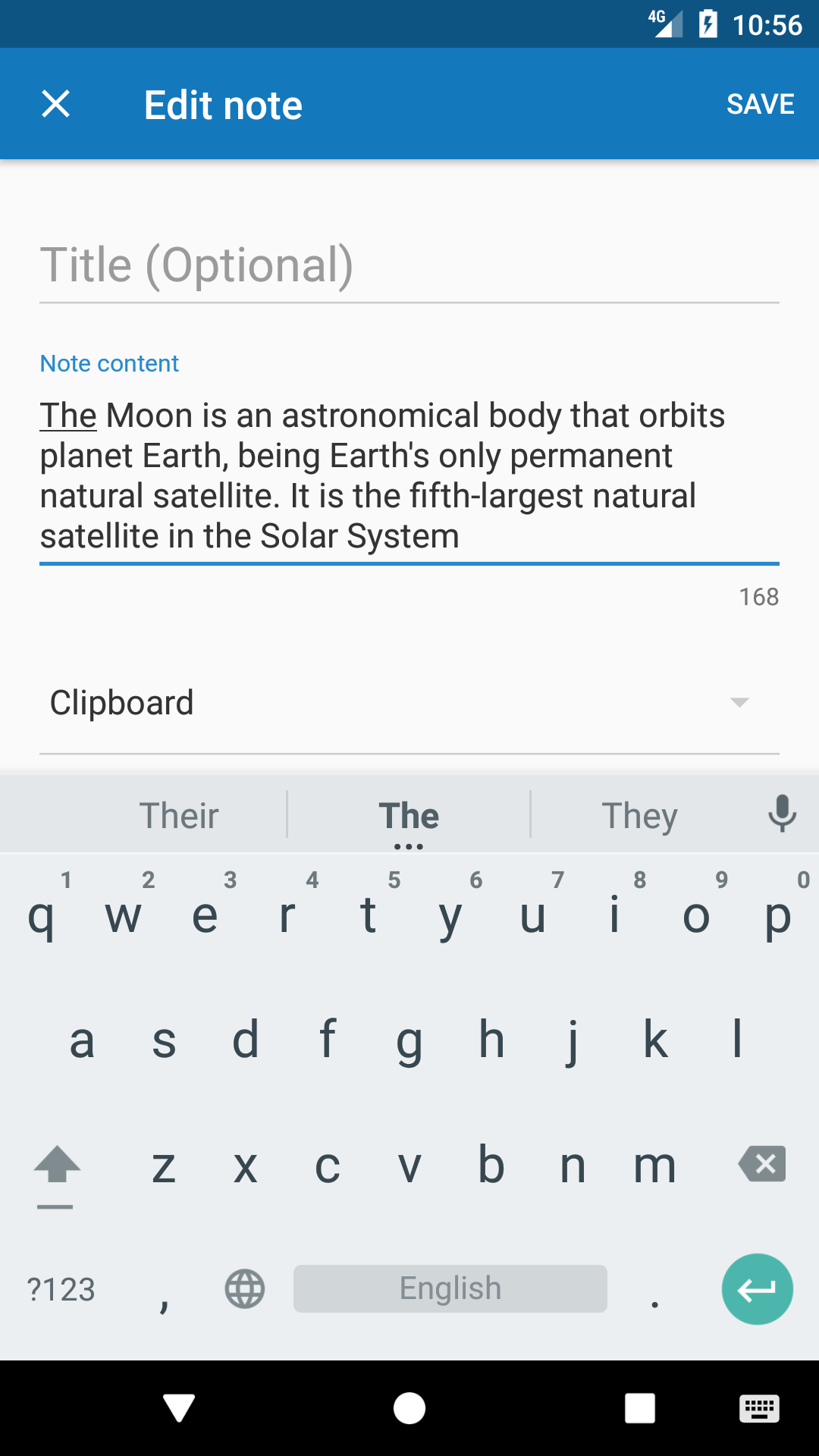
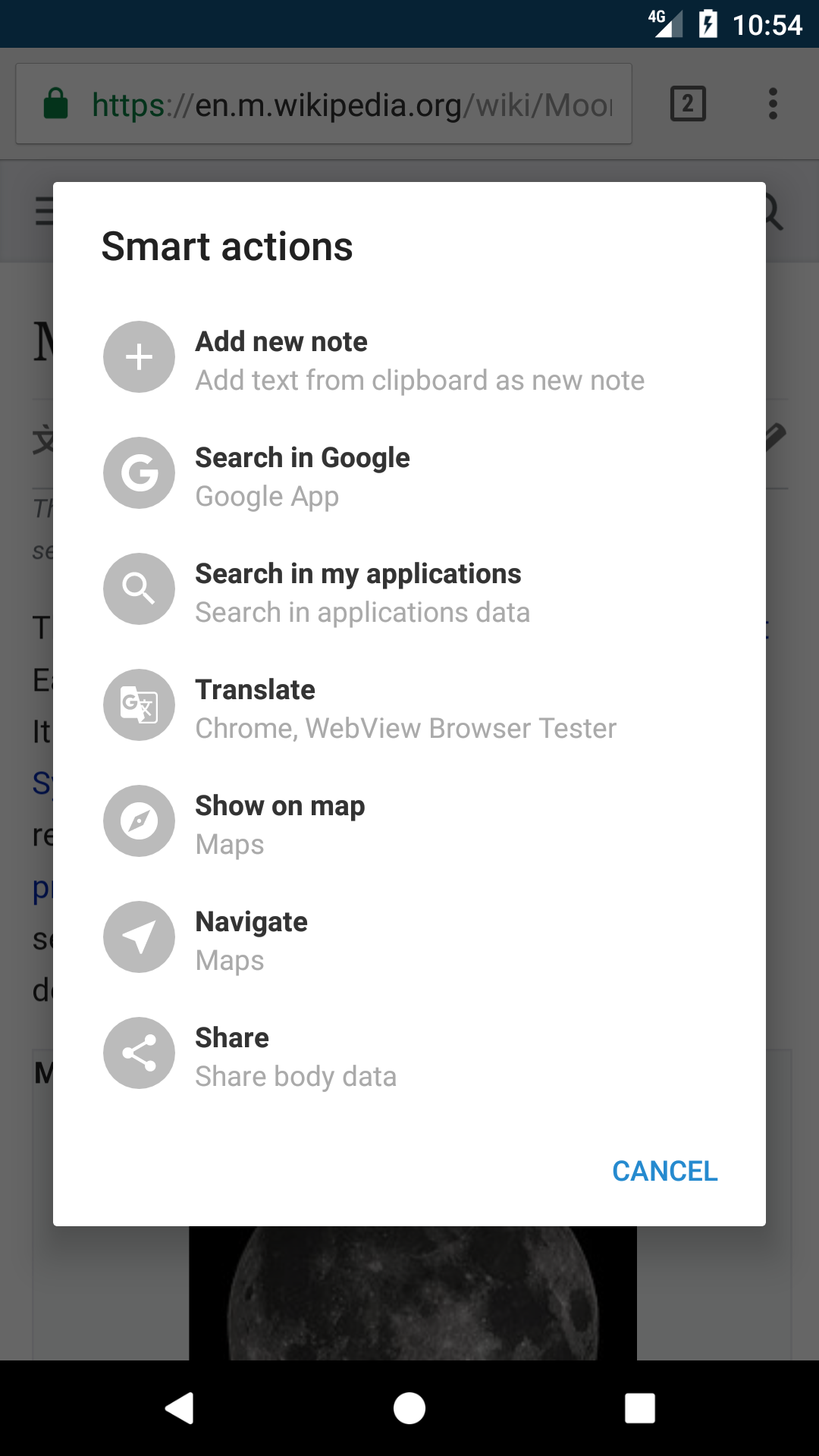
Clipboard Manager is not only a passive history list. It can create notes, merge clips, share one or multiple notes, reorder items, and run smart actions. Those features make it closer to a lightweight snippet library. Reviewers should check whether smart actions are predictable, whether the keyboard paste feature works in common apps, and whether note editing is comfortable on smaller screens.
Cleanup Controls
Automatic cleanup is a meaningful feature because clipboard data can become sensitive or stale. The listing says automatic clipboard clearing is turned off by default, which users should notice during setup. Clearing the system clipboard, clearing old notes, and managing trash can reduce risk, but users need control over timing so important snippets are not erased unexpectedly.
Cloud Backup And Export
Optional cloud backup, import, and export can be helpful for device changes or long-term snippet libraries. They also increase privacy responsibility. Users should verify where backups are stored, whether backup is enabled by choice, what file formats export uses, and whether exported data is protected when shared or saved to cloud storage.
Ads And Trust
The metadata marks the app as ad supported. Ads inside a clipboard manager deserve attention because clipboard history can contain sensitive material. Users should look for clear separation between local note content and advertising systems, and they should review the linked privacy policy before storing private information.
Sensitive Data Risk
Clipboard history can capture passwords, addresses, authentication codes, personal messages, phone numbers, work notes, URLs, and payment fragments. A responsible user should exclude secrets from clipboard storage where possible, clear history often, and check whether Android version limitations affect what the app can read.
Review Checks
Confirm the package `devdnua.clipboard`, developer name, current version, privacy policy, ad behavior, cloud backup settings, export controls, cleanup defaults, keyboard integration, and Android clipboard limitations. Recent reviews should be checked for lost clips, intrusive ads, backup failures, permission concerns, and compatibility issues.
FungoApp Review View
Clipboard Manager has practical value for repeated copying and snippet reuse, but privacy is the center of the review. The APK page should explain history storage, cleanup behavior, optional backup, advertising context, and the care required when a tool records whatever the user copies.
FungoApp review for Clipboard Manager
Clipboard Manager by devdnua is listed in Productivity. This page organizes the available metadata into a practical review format, including version 2.5.9, Android requirement not listed, update date May 20, 2024, rating 3.2 out of 5, and install signal 1,000,000+.
Compare Android productivity apps by looking at task, note, file, calendar, sync, offline, and collaboration features alongside permission and account requirements. For Clipboard Manager, use the details below as a checklist before you decide whether the app fits your device, privacy expectations, and use case.
Install decision context for Clipboard Manager
Clipboard Manager is best reviewed as a Productivity listing from devdnua, not as a direct APK file from FungoApp. The current signals show version 2.5.9, Android requirement not listed, last update May 20, 2024, rating 3.2 out of 5, install signal 1,000,000+, and monetization that contains ads and does not list in-app purchases in the current data. Use those signals together: a popular listing can still be a poor fit if the permissions, update age, or account requirements do not match your intended use.
Use-case fit analysis
Clipboard Manager is presented around this purpose: "Copy/Paste history, smart actions, auto clear clipboard with Clipboard manager" A good fit is more likely when that purpose matches the category, screenshots, version history, and the kind of access the app requests. If you only need a narrow task, compare this listing with simpler alternatives before leaving FungoApp for the external source.
Permissions and privacy interpretation
Clipboard Manager does not include a permission list in the current FungoApp data. That missing field reduces review confidence, so readers should check the Android install prompt and source listing before using personal data or granting sensitive access.
Version and update interpretation
The listing shows version 2.5.9, updated May 20, 2024, package size not listed, and Android requirement not listed. Newer updates can indicate maintenance, but the practical question is whether the listed Android requirement fits your device and whether recent changes explain why the app needs its current permissions and storage footprint.
Screenshot review prompts
Clipboard Manager includes 16 screenshots in the current listing data. Use them to confirm the interface, account prompts, ads, paywalls, editing tools, game style, or workflow before you open the source page. Screenshots are evidence of presentation, not independent proof of package behavior.
Use case fit
Clipboard Manager is summarized as: "Copy/Paste history, smart actions, auto clear clipboard with Clipboard manager" Compare that promise with the screenshots, category, update notes, and related apps before installing.
Version and compatibility
The listing shows version 2.5.9, Android requirement not listed, package size not listed, and last update May 20, 2024. These details matter because older devices, large packages, and stale updates can change the install experience.
Privacy and permissions
Clipboard Manager does not include a permission list in the current metadata, so review the source listing and Android install prompt carefully.
Review checklist
- Confirm the developer name and source listing before installing.
- Review version, Android requirement, package size, and update date.
- Compare requested permission access with the feature you actually need.
- Read recent change notes and ratings as signals, not as guarantees of safety.
Comparison prompts
- Compare Clipboard Manager's developer and source link with other Productivity options before installing.
- Check whether version 2.5.9 and Android not listed match your device.
- Review the source listing carefully because FungoApp does not currently have a permission list for this app.
- Compare against related listings such as ZENTRA Utility and Honeywell Device Utility for feature scope and privacy tradeoffs.
Publisher notes
- FungoApp organizes public listing metadata into review notes and comparison checklists for Clipboard Manager.
- FungoApp does not host the APK file, modify the app package, or claim independent file verification from the current data.
- The 3.2 rating suggests readers should compare recent reviews, alternatives, and the app's stated purpose carefully. 1,000,000+ installs indicate broad usage, which helps with discovery but does not prove the package is appropriate for every device or privacy expectation.
Developer-provided description
Clipboard Manager is simple and powerful application to manage your clipboard, keep history, fast access to your notes in history, etc.
Just copy your text anywhere and clip will be added to history.
Check out features:
* Create unlimited categories.
* Copy and paste unlimited notes.
* Automatically save note from clipboard.
* New note confirmation.
* Paste your notes from keyboard
* Auto clean clipboard content
* Auto clean up default category.
* Auto clean trash.
* Search in your notes.
* Share note/few notes
* Merge notes
* Ordering
* Automatically backup to the cloud (optional)
* Import and export data to the file
* Smart actions
* View notes
* Fast access to recent notes
Check it out and give us feedback!
Note: Automatically clear clipboard is turned off by default.
Requirements (Latest version)
Android requirement is not listed in the current metadata.


