

Video Preview





About this listing
WiFi Analyzer (open-source) is listed with version, update, developer, screenshots, permissions, source, and compatibility details from the available app metadata.
APK and source facts
Before you install
- Android requirement is not listed in the current data.
- Package size is not listed in the current data.
- The source link points to a Google Play listing.
Listing evidence
WiFi Analyzer (open-source) includes version 3.2.2, last update Jan 11, 2026, 15 screenshots, privacy policy link in the current metadata.
The current metadata notes that permission list is not available.
FungoApp APK review notes
WiFi Analyzer (open-source) APK listing review
WiFi Analyzer (open-source) APK listing review
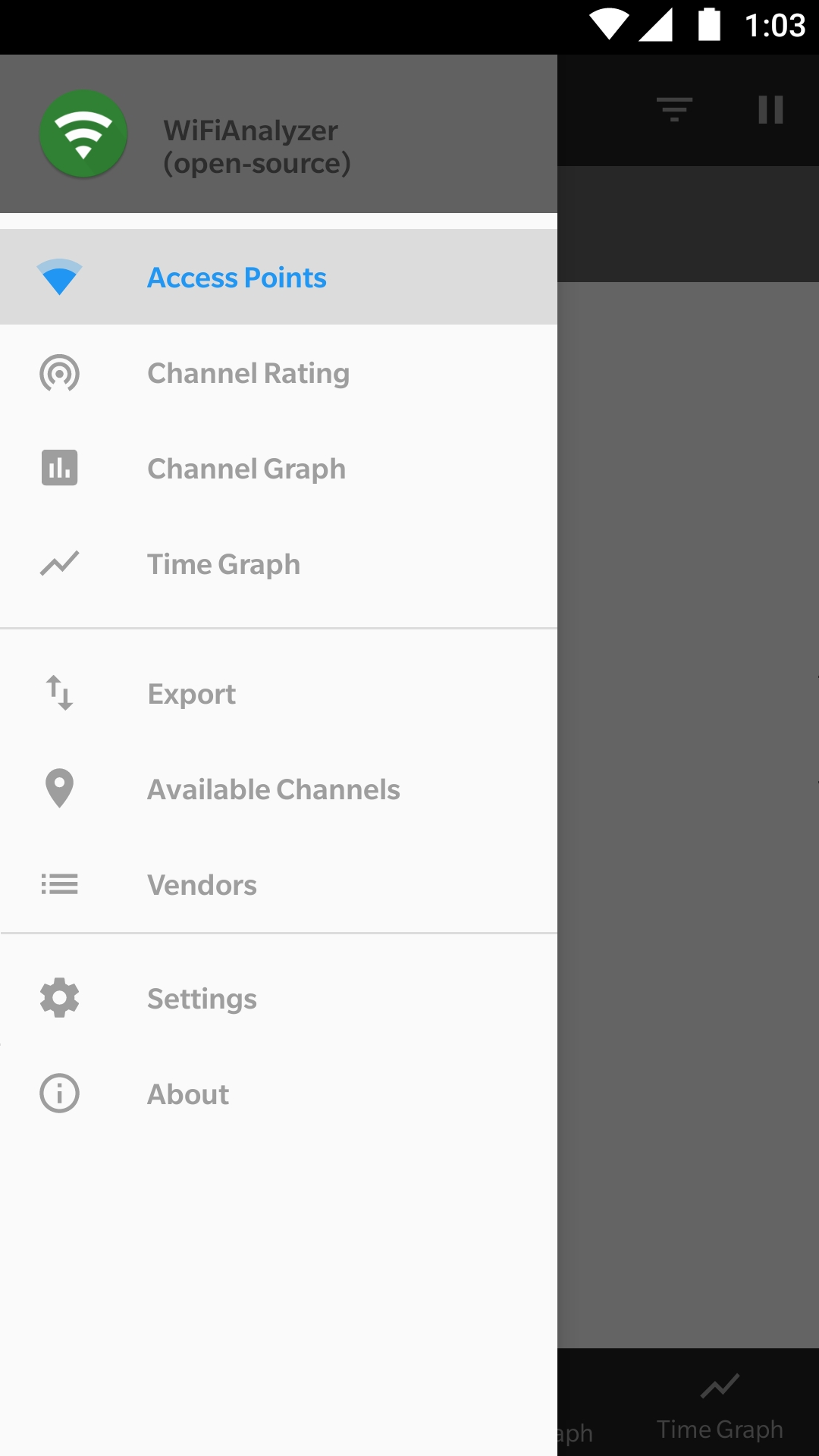
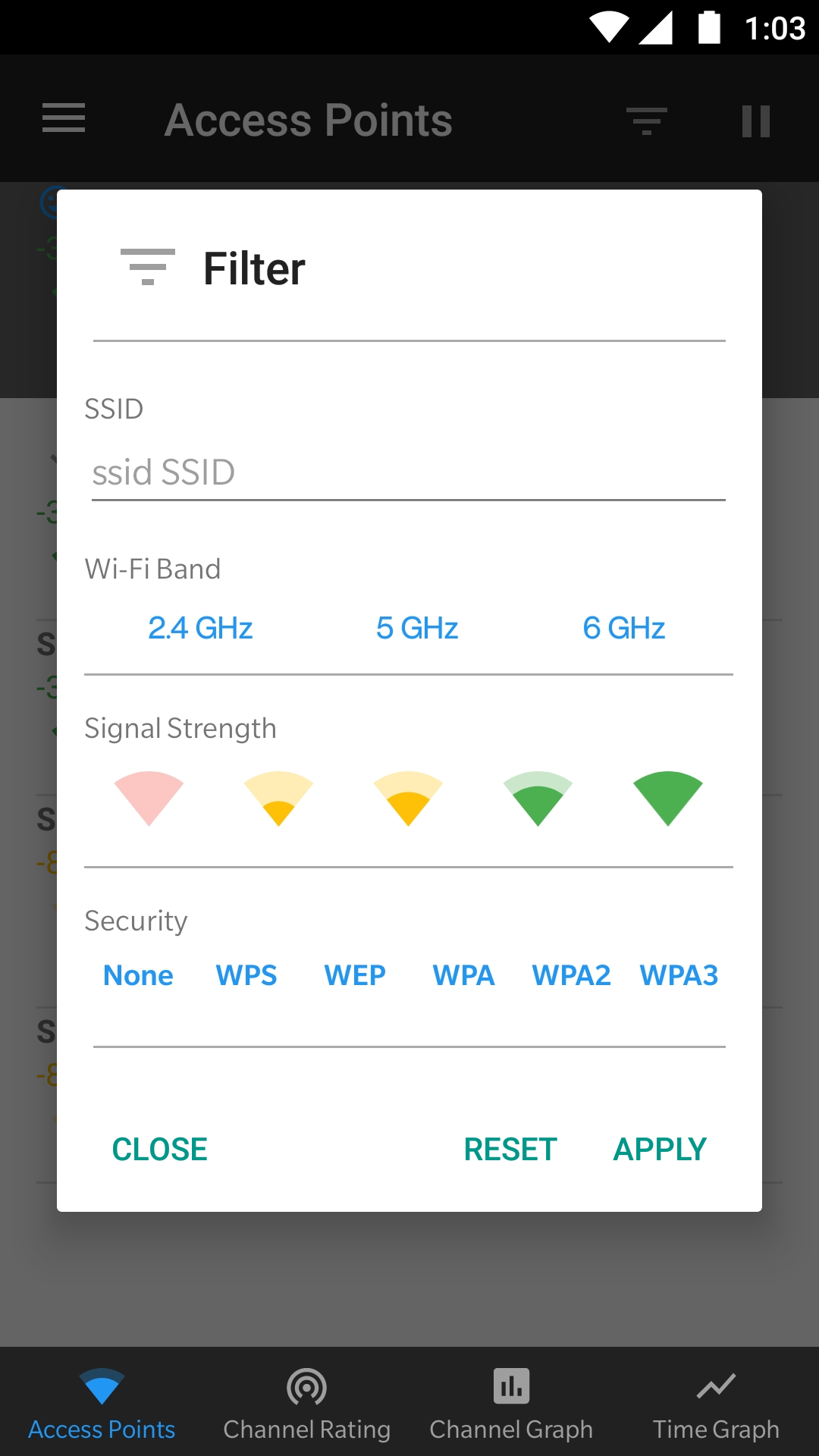
WiFi Analyzer (open-source) is a Tools app from VREM Software Development with the package name `com.vrem.wifianalyzer`. The listing describes open-source Wi-Fi analysis for nearby access points, signal strength graphs, access point strength over time, channel rating, HT and VHT detection, 2.4 GHz, 5 GHz, and 6 GHz bands where supported, filters by band, signal, security, and SSID, estimated distance, export of access point details, dark and light themes, pause and resume scanning, and no internet access.
Listing Profile
The local metadata shows version 3.2.2, an update date of January 10, 2026, and a release date of March 11, 2016. Installs are listed at 10,000,000+ with a score around 4.08 from 28,154 ratings. The open-source and no-ad positioning is a strong differentiator in a network utility category.
Diagnostic Use
The app helps users choose less crowded Wi-Fi channels, understand signal strength, compare nearby access points, and troubleshoot poor home or office wireless coverage. It is useful for router placement, channel planning, and identifying whether interference is likely from neighboring networks.
Privacy Advantages
The listing says the app requires no internet access, collects no personal information, has no ads, and is open source. That is important because Wi-Fi scans can reveal SSIDs, router identifiers, signal environment, and location-adjacent information. No internet permission reduces the chance of scan data leaving the device.
Android Location Requirement
The listing notes that Android 9+ requires location permission and location services to perform Wi-Fi scans. This can surprise users. The permission does not necessarily mean the app is tracking location, but Wi-Fi scan results can infer location, which is why Android gates them.
Limits And Responsibility
Wi-Fi Analyzer is not a password cracking or phishing tool. It helps inspect signal and channels, not break into networks. Users should only analyze networks they own or are allowed to evaluate and should avoid exporting access point details from private environments unnecessarily.
Cost And Permissions
The metadata marks WiFi Analyzer as free with no ads and no in-app purchases. Expected permissions are narrow, mainly location-related Wi-Fi scanning requirements. Users should verify that the app still has no internet permission on their device and that exported scan data is stored safely.
Review Checks
Confirm the package `com.vrem.wifianalyzer`, developer name, current version, privacy policy, source repository, live permissions, no-internet behavior, and export format. Recent reviews should be checked for Android scan throttling, missing 6 GHz support, inaccurate channels, device compatibility, and permission confusion.
FungoApp Review View
WiFi Analyzer (open-source) is a strong utility because it pairs useful diagnostics with privacy restraint. The review should emphasize open-source verification, no-internet permission, Android location requirements, channel-planning value, export caution, scan throttling limits, and responsible use.
FungoApp review for WiFi Analyzer (open-source)
WiFi Analyzer (open-source) by VREM Software Development is listed in Tools. This page organizes the available metadata into a practical review format, including version 3.2.2, Android requirement not listed, update date Jan 11, 2026, rating 4.1 out of 5, and install signal 10,000,000+.
Browse Android utility apps by comparing the task they solve, device permissions, offline behavior, update history, and whether the tool is simple enough for repeated use. For WiFi Analyzer (open-source), use the details below as a checklist before you decide whether the app fits your device, privacy expectations, and use case.
Install decision context for WiFi Analyzer (open-source)
WiFi Analyzer (open-source) is best reviewed as a Tools listing from VREM Software Development, not as a direct APK file from FungoApp. The current signals show version 3.2.2, Android requirement not listed, last update Jan 11, 2026, rating 4.1 out of 5, install signal 10,000,000+, and monetization that does not list ads in the current data and does not list in-app purchases in the current data. Use those signals together: a popular listing can still be a poor fit if the permissions, update age, or account requirements do not match your intended use.
Use-case fit analysis
WiFi Analyzer (open-source) is presented around this purpose: "Optimize your WiFi network using WiFi Analyzer (open-source)" A good fit is more likely when that purpose matches the category, screenshots, version history, and the kind of access the app requests. If you only need a narrow task, compare this listing with simpler alternatives before leaving FungoApp for the external source.
Permissions and privacy interpretation
WiFi Analyzer (open-source) does not include a permission list in the current FungoApp data. That missing field reduces review confidence, so readers should check the Android install prompt and source listing before using personal data or granting sensitive access.
Version and update interpretation
The listing shows version 3.2.2, updated Jan 11, 2026, package size not listed, and Android requirement not listed. Newer updates can indicate maintenance, but the practical question is whether the listed Android requirement fits your device and whether recent changes explain why the app needs its current permissions and storage footprint.
Screenshot review prompts
WiFi Analyzer (open-source) includes 15 screenshots in the current listing data. Use them to confirm the interface, account prompts, ads, paywalls, editing tools, game style, or workflow before you open the source page. Screenshots are evidence of presentation, not independent proof of package behavior.
Use case fit
WiFi Analyzer (open-source) is summarized as: "Optimize your WiFi network using WiFi Analyzer (open-source)" Compare that promise with the screenshots, category, update notes, and related apps before installing.
Version and compatibility
The listing shows version 3.2.2, Android requirement not listed, package size not listed, and last update Jan 11, 2026. These details matter because older devices, large packages, and stale updates can change the install experience.
Privacy and permissions
WiFi Analyzer (open-source) does not include a permission list in the current metadata, so review the source listing and Android install prompt carefully.
Review checklist
- Confirm the developer name and source listing before installing.
- Review version, Android requirement, package size, and update date.
- Compare requested permission access with the feature you actually need.
- Read recent change notes and ratings as signals, not as guarantees of safety.
Comparison prompts
- Compare WiFi Analyzer (open-source)'s developer and source link with other Tools options before installing.
- Check whether version 3.2.2 and Android not listed match your device.
- Review the source listing carefully because FungoApp does not currently have a permission list for this app.
- Compare against related listings such as SOCIAL SEARCH Profile Finder and WebUI X: Portable for feature scope and privacy tradeoffs.
Publisher notes
- FungoApp organizes public listing metadata into review notes and comparison checklists for WiFi Analyzer (open-source).
- FungoApp does not host the APK file, modify the app package, or claim independent file verification from the current data.
- The 4.1 rating is positive, though rating volume and recent reviews should be checked on the source listing before treating it as a strong quality signal. 10,000,000+ installs indicate broad usage, which helps with discovery but does not prove the package is appropriate for every device or privacy expectation.
Developer-provided description
Users' privacy and security is a huge concern these days and WiFi Analyzer (open-source) is designed to use as few permissions as possible. It asks for just enough to perform the analysis. Plus, it is all open source so nothing is hidden! Most notably, this application does not require access to internet, so you can be sure it does not send any personal/device information to any other source and it does not receive any information from other sources.
WiFi Analyzer is under active development by volunteers.
WiFi Analyzer is free, has no-ads and does not collect any personal information.
WiFi Analyzer is not a Wi-Fi password cracking or phishing tool.
Features:
- Identify nearby Access Points
- Graph channels signal strength
- Graph Access Point signal strength over time
- Analyze Wi-Fi networks to rate channels
- HT/VHT Detection - 40/80/160/320 MHz (Requires hardware/software support)
- 2.4 GHz, 5 GHz and 6 GHz Wi-Fi bands (Requires hardware/software support)
- Access Point view: complete or compact
- Estimated Distance to the Access Points
- Export access points details
- Dark, Light and System theme available
- Pause/Resume scanning
- Available filters: Wi-Fi band, Signal strength, Security and SSID
- Vendor/OUI Database Lookup
- The application has too many features to mention them all
Please visit our website for more helpful information:
https://vremsoftwaredevelopment.github.io/WiFiAnalyzer
Notes:
- Android 9 introduced Wi-Fi scan throttling. Android 10 has a new developer option to toggle the throttling off under (Settings > Developer Options > Networking > Wi-Fi scan throttling).
- Android 9.0+ requires location permission and location services to perform a Wi-Fi scan.
Features:
https://vremsoftwaredevelopment.github.io/WiFiAnalyzer/#features
Usage Tips:
https://vremsoftwaredevelopment.github.io/WiFiAnalyzer/#usage-tips
How-to:
https://vremsoftwaredevelopment.github.io/WiFiAnalyzer/#how-to
FAQ:
https://vremsoftwaredevelopment.github.io/WiFiAnalyzer/#faq
GitHub is the place to go for bug reports and code contributions:
https://vremsoftwaredevelopment.github.io/WiFiAnalyzer/#feedback
Requirements (Latest version)
Android requirement is not listed in the current metadata.


