




About this listing
VivaVideo - Video Cut & Editor is listed with version, update, developer, screenshots, permissions, source, and compatibility details from the available app metadata.
APK and source facts
Before you install
- Android requirement is not listed in the current data.
- Package size is not listed in the current data.
- The source link points to a Google Play listing.
Listing evidence
VivaVideo - Video Cut & Editor includes version 9.32.3, last update Jan 12, 2026, 8 screenshots, privacy policy link in the current metadata.
The current metadata notes that permission list is not available.
FungoApp APK review notes
VivaVideo - Video Cut & Editor APK listing review
VivaVideo - Video Cut & Editor APK listing review
VivaVideo - Video Cut & Editor is a Video Players & Editors app from QuVideo Inc. Video Editor & Video Maker App with the package name `com.quvideo.xiaoying`. The listing describes AI video generation, rhythmic beat syncing, speech-to-text captions, caption translation, AI avatars, AI music generation, voice cloning, image-to-video effects, background cutout, slow motion, trimming, merging, transitions, stickers, color adjustment, keyframes, chroma key, picture-in-picture, masking, and mosaic blur.
Listing Profile
The local metadata shows version 9.32.3, an update date of January 12, 2026, and a release date of March 21, 2013. Installs are listed at 500,000,000+ with a score around 4.29 from 12,400,590 ratings. The app is free, includes in-app purchases, is marked ad supported, and includes eight screenshots.
Editing Scope
VivaVideo is a broad mobile editing suite rather than a simple cutter. It covers beginner edits like trimming, splitting, merging, text, stickers, and filters, while also offering more advanced tools such as keyframes, chroma key, picture-in-picture, masking, and mosaic blur for hiding sensitive details.
AI Creation Features
The listing highlights AI avatars, voice cloning, music generation, captioning, image animation, and text-driven video features. These can be useful for creators and marketers, but they need careful review. Users should understand what media or voice samples are uploaded, what rights apply to AI-created output, and whether features require payment.
Export And Performance
Video editors are only as good as their export reliability. Reviewers should test resolution options, audio sync, watermark behavior, export time, project recovery, and performance with long clips or multiple layers. Large AI and effects features may strain older devices.
Ads And Listing Consistency
The description claims a free experience with no ads, while local metadata marks the app as ad supported. That mismatch should be checked in the installed app. Users should verify whether ads appear, whether paid plans remove them, and whether promotional screens interrupt editing or export.
Privacy And Sensitive Media
The app handles photos, videos, audio, voice samples, captions, and possibly face or object data. The linked privacy policy should be reviewed carefully. Users editing children, clients, private locations, workplace material, or identity documents should understand upload behavior and deletion controls.
Purchases And Rights
The metadata marks VivaVideo as offering in-app purchases. Users should confirm which AI features, export settings, assets, or cloud services are free. Music, fonts, stickers, and AI output may also have usage limits that matter for commercial posts.
Review Checks
Confirm the package `com.quvideo.xiaoying`, developer name, current version, privacy policy, ad behavior, purchase model, watermark status, AI processing, voice cloning consent controls, export quality, and project storage. Recent reviews should be checked for billing complaints, export failures, watermark issues, crashes, and privacy concerns.
FungoApp Review View
VivaVideo is substantial because it mixes classic editing with high-impact AI tools. The APK review should focus on export reliability, AI data handling, voice-clone consent, purchase clarity, ad-status mismatch, sensitive-media privacy, and whether the app remains usable for both beginners and serious creators.
FungoApp review for VivaVideo - Video Cut & Editor
VivaVideo - Video Cut & Editor by QuVideo Inc. Video Editor & Video Maker App is listed in Video Players & Editors. This page organizes the available metadata into a practical review format, including version 9.32.3, Android requirement not listed, update date Jan 12, 2026, rating 4.3 out of 5, and install signal 500,000,000+.
Browse Android app listings with metadata, source links, version details, compatibility notes, screenshots, and permission signals that help you compare apps before installing. For VivaVideo - Video Cut & Editor, use the details below as a checklist before you decide whether the app fits your device, privacy expectations, and use case.
Install decision context for VivaVideo - Video Cut & Editor
VivaVideo - Video Cut & Editor is best reviewed as a Video Players & Editors listing from QuVideo Inc. Video Editor & Video Maker App, not as a direct APK file from FungoApp. The current signals show version 9.32.3, Android requirement not listed, last update Jan 12, 2026, rating 4.3 out of 5, install signal 500,000,000+, and monetization that contains ads and offers in-app purchases. Use those signals together: a popular listing can still be a poor fit if the permissions, update age, or account requirements do not match your intended use.
Use-case fit analysis
VivaVideo - Video Cut & Editor is presented around this purpose: "AI Video Editor: AI Templates, Text to Video, Extract Audio, Auto Caption." A good fit is more likely when that purpose matches the category, screenshots, version history, and the kind of access the app requests. If you only need a narrow task, compare this listing with simpler alternatives before leaving FungoApp for the external source.
Permissions and privacy interpretation
VivaVideo - Video Cut & Editor does not include a permission list in the current FungoApp data. That missing field reduces review confidence, so readers should check the Android install prompt and source listing before using personal data or granting sensitive access.
Version and update interpretation
The listing shows version 9.32.3, updated Jan 12, 2026, package size not listed, and Android requirement not listed. Newer updates can indicate maintenance, but the practical question is whether the listed Android requirement fits your device and whether recent changes explain why the app needs its current permissions and storage footprint.
Screenshot review prompts
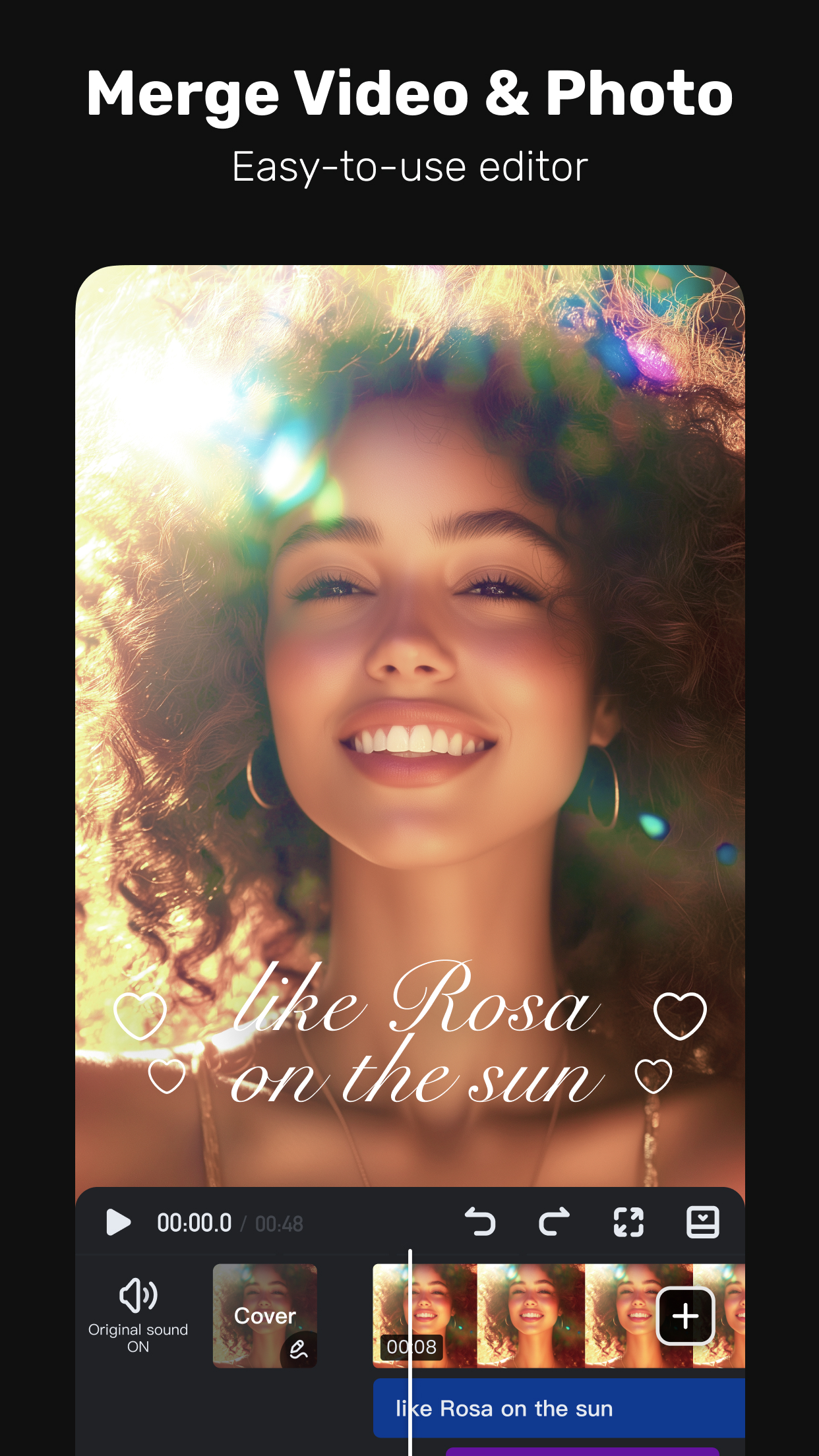
VivaVideo - Video Cut & Editor includes 8 screenshots in the current listing data. Use them to confirm the interface, account prompts, ads, paywalls, editing tools, game style, or workflow before you open the source page. Screenshots are evidence of presentation, not independent proof of package behavior.
Use case fit
VivaVideo - Video Cut & Editor is summarized as: "AI Video Editor: AI Templates, Text to Video, Extract Audio, Auto Caption." Compare that promise with the screenshots, category, update notes, and related apps before installing.
Version and compatibility
The listing shows version 9.32.3, Android requirement not listed, package size not listed, and last update Jan 12, 2026. These details matter because older devices, large packages, and stale updates can change the install experience.
Privacy and permissions
VivaVideo - Video Cut & Editor does not include a permission list in the current metadata, so review the source listing and Android install prompt carefully.
Review checklist
- Confirm the developer name and source listing before installing.
- Review version, Android requirement, package size, and update date.
- Compare requested permission access with the feature you actually need.
- Read recent change notes and ratings as signals, not as guarantees of safety.
Comparison prompts
- Compare VivaVideo - Video Cut & Editor's developer and source link with other Video Players & Editors options before installing.
- Check whether version 9.32.3 and Android not listed match your device.
- Review the source listing carefully because FungoApp does not currently have a permission list for this app.
- Compare against related listings such as SlidePlus - Slideshow Maker and Video Maker & Photo Music for feature scope and privacy tradeoffs.
Publisher notes
- FungoApp organizes public listing metadata into review notes and comparison checklists for VivaVideo - Video Cut & Editor.
- FungoApp does not host the APK file, modify the app package, or claim independent file verification from the current data.
- The 4.3 rating is positive, though rating volume and recent reviews should be checked on the source listing before treating it as a strong quality signal. 500,000,000+ installs indicate broad usage, which helps with discovery but does not prove the package is appropriate for every device or privacy expectation.
Developer-provided description
From AI Video Generation to one-tap Reel Templates, everything you need to create standout content is here. Share stories that grow your audience across TikTok, Instagram, YouTube, and beyond.
FREE & No Ads!
Powerful AI Video Tools
- Smart Tracking:
Track moving objects to create dynamic, professional shots.
- AI Beat:
Sync video highlights with rhythmic beats for perfectly timed edits.
- AI Auto Captions:
Generates speech-to-text captions & caption translation.
- AI Avatar:
Quickly turn text into talking clips with powerful voice customization. No skills needed—perfect for creators and marketers. Powered by Veo 3 AI.
- AI Music Generator:
Create a custom song based on your ideas or lyrics.
- AI Voice Clone:
Easily copy your voice and generate any speech! With customized emotions & in any language!
- Image to Video:
Let AI magically bring life to your photos with AI hug, AI kiss, AI muscle video effects.
- AI Cutout:
Auto remove backgrounds or isolate objects with smart strokes.
- Slow-Motion:
Make videos smoother and more cinematic with advanced slow-mo effects.
User-friendly Video Editing for Beginners
- Trim, cut, split, or merge video clips without losing quality.
- Speed curve: speed control with customizable & pre-set curves.
- Add smooth transitions and visual effects to enhance your video.
- Text styles & fonts: customize text for titles and captions.
- Add fun stickers & emojis to bring personality to video.
- Color adjustments: adjust brightness, contrast & saturation for better visuals.
Full-featured Video Editing for Professional
- Keyframe editing: create smooth animations for dynamic movement and effects.
- Apply slow-motion effects to specific parts of your video.
- Chromakey effects: use chroma key to eliminate video colors and create immersive scenes.
- Picture-in-picture (PIP): add multiple layers of video, images, stickers, special effects, text
- Masking: cover and mix video clips to get different video effects.
- Mosaic: blur or pixelate specific areas of your video, great for hiding sensitive details.
- Smart tracking: track moving objects in your video for precise effects, text, or animations to follow their motion.
Special Features
- Auto captions & caption translation: AI speech-to-text for talking videos and one-tap subtitle translation.
- Background removal: auto remove backgrounds and change video background.
Trending Effects & Filters
- Apply various effects to your videos, including Glitch, Fade, Weather, Retro DV, Blur, 3D
- Enhance your videos with cinematic filters & color adjustments
Music & Sound Effects
- Elevate videos with a vast library of music clips and sound effects
- Extract audio from video clips and recordings
With VivaVideo, your all-in-one video editor & video maker with music, you can easily craft eye-catching content. Whether you're a beginner or pro, VivaVideo's powerful tools like AI music, keyframes and green screen, can help you make high-quality videos in minutes!
Requirements (Latest version)
Android requirement is not listed in the current metadata.


