Video Preview




About this listing
Poweramp Music Player is listed with version, update, developer, screenshots, permissions, source, and compatibility details from the available app metadata.
APK and source facts
Before you install
- Android requirement is not listed in the current data.
- Package size is not listed in the current data.
- The source link points to a Google Play listing.
Listing evidence
Poweramp Music Player includes version build-1020-bundle-play, last update Jan 13, 2026, 18 screenshots, privacy policy link in the current metadata.
The current metadata notes that permission list is not available.
FungoApp review for Poweramp Music Player
Poweramp Music Player by Poweramp Software Design (Max MP) is listed in Music & Audio. This page organizes the available metadata into a practical review format, including version build-1020-bundle-play, Android requirement not listed, update date Jan 13, 2026, rating 4.2 out of 5, and install signal 50,000,000+.
Browse Android app listings with metadata, source links, version details, compatibility notes, screenshots, and permission signals that help you compare apps before installing. For Poweramp Music Player, use the details below as a checklist before you decide whether the app fits your device, privacy expectations, and use case.
Install decision context for Poweramp Music Player
Poweramp Music Player is best reviewed as a Music & Audio listing from Poweramp Software Design (Max MP), not as a direct APK file from FungoApp. The current signals show version build-1020-bundle-play, Android requirement not listed, last update Jan 13, 2026, rating 4.2 out of 5, install signal 50,000,000+, and monetization that does not list ads in the current data and offers in-app purchases. Use those signals together: a popular listing can still be a poor fit if the permissions, update age, or account requirements do not match your intended use.
Use-case fit analysis
Poweramp Music Player is presented around this purpose: "The ultimate music player for Android with equalizer and bass boost" A good fit is more likely when that purpose matches the category, screenshots, version history, and the kind of access the app requests. If you only need a narrow task, compare this listing with simpler alternatives before leaving FungoApp for the external source.
Permissions and privacy interpretation
Poweramp Music Player does not include a permission list in the current FungoApp data. That missing field reduces review confidence, so readers should check the Android install prompt and source listing before using personal data or granting sensitive access.
Version and update interpretation
The listing shows version build-1020-bundle-play, updated Jan 13, 2026, package size not listed, and Android requirement not listed. Newer updates can indicate maintenance, but the practical question is whether the listed Android requirement fits your device and whether recent changes explain why the app needs its current permissions and storage footprint.
Screenshot review prompts
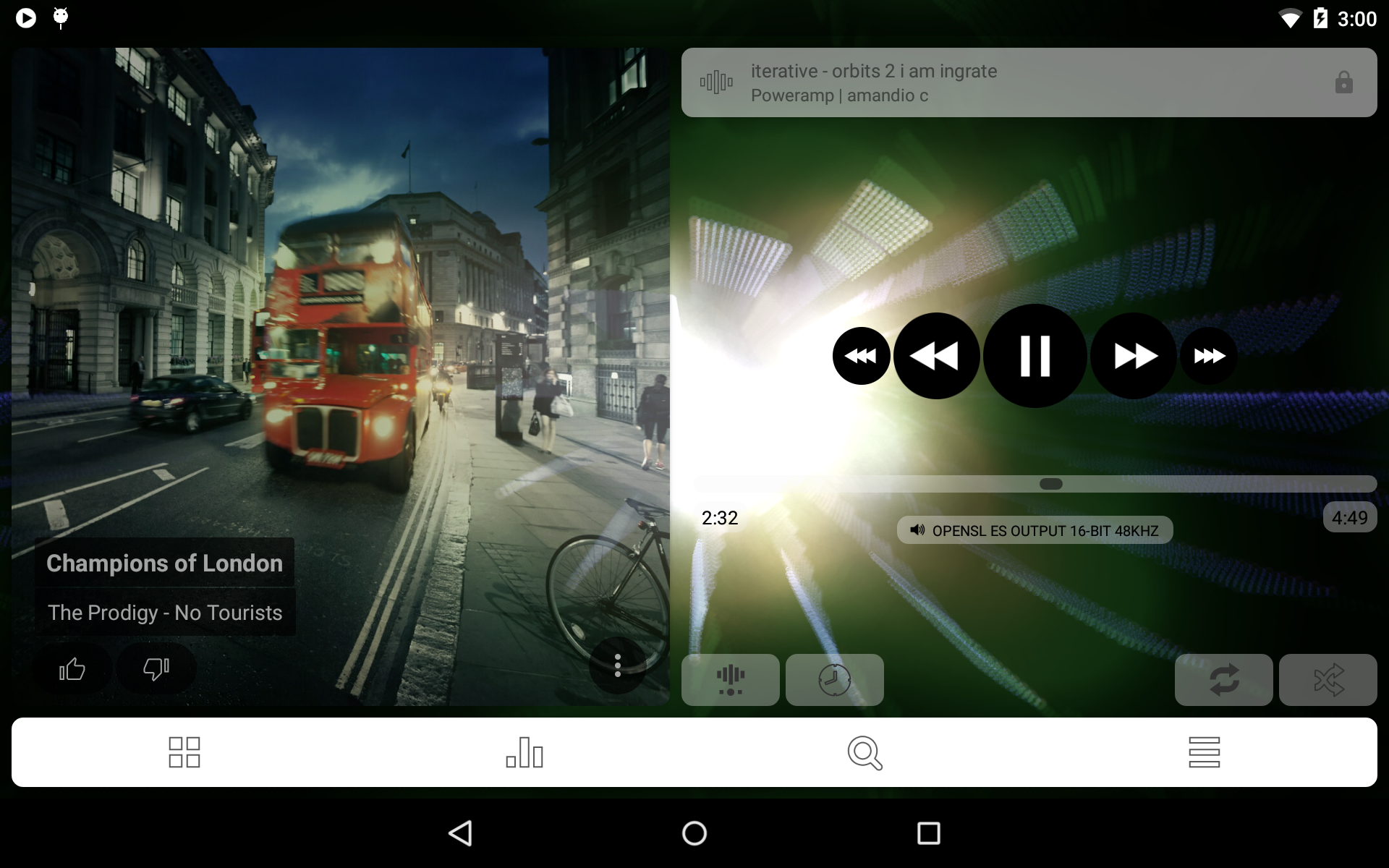
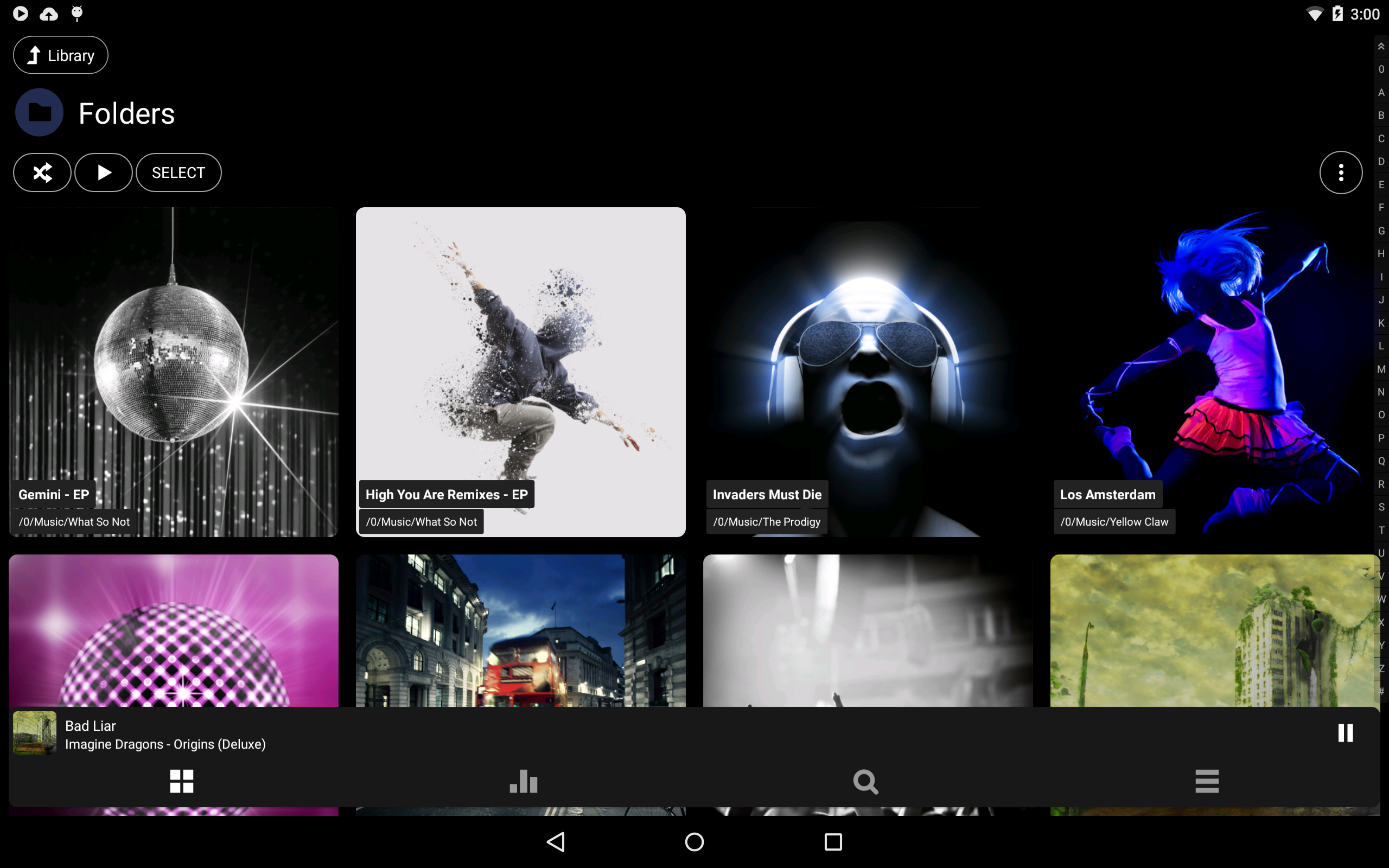
Poweramp Music Player includes 18 screenshots in the current listing data. Use them to confirm the interface, account prompts, ads, paywalls, editing tools, game style, or workflow before you open the source page. Screenshots are evidence of presentation, not independent proof of package behavior.
Use case fit
Poweramp Music Player is summarized as: "The ultimate music player for Android with equalizer and bass boost" Compare that promise with the screenshots, category, update notes, and related apps before installing.
Version and compatibility
The listing shows version build-1020-bundle-play, Android requirement not listed, package size not listed, and last update Jan 13, 2026. These details matter because older devices, large packages, and stale updates can change the install experience.
Privacy and permissions
Poweramp Music Player does not include a permission list in the current metadata, so review the source listing and Android install prompt carefully.
Review checklist
- Confirm the developer name and source listing before installing.
- Review version, Android requirement, package size, and update date.
- Compare requested permission access with the feature you actually need.
- Read recent change notes and ratings as signals, not as guarantees of safety.
Comparison prompts
- Compare Poweramp Music Player's developer and source link with other Music & Audio options before installing.
- Check whether version build-1020-bundle-play and Android not listed match your device.
- Review the source listing carefully because FungoApp does not currently have a permission list for this app.
- Compare against related listings such as Poweramp Equalizer and Music player & mp3 player for feature scope and privacy tradeoffs.
Publisher notes
- FungoApp organizes public listing metadata into review notes and comparison checklists for Poweramp Music Player.
- FungoApp does not host the APK file, modify the app package, or claim independent file verification from the current data.
- The 4.2 rating is positive, though rating volume and recent reviews should be checked on the source listing before treating it as a strong quality signal. 50,000,000+ installs indicate broad usage, which helps with discovery but does not prove the package is appropriate for every device or privacy expectation.
Developer-provided description
Features
===
• Audio engine:
• supports hi-res output
• custom DSP, including updated Equalizer/Tone/Stereo expand, and the Reverb/Tempo effects
• unique DVC (Direct Volume Control) mode allowing powerful equalization/bass/tone control without distortion
• internal 64bit processing
• AutoEq presets
• configurable per-output Options
• configurable resampler, dither options
• opus, tak, mka, dsd dsf/dff formats support
• radios/streams in .m3u format
• gapless smoothing
• UI:
• visualizations (.milk presets and spectrum)
• synchronized/plain lyrics
• Light and Dark skins included, both with Pro Buttons and Static Seekbar options
• as previously, 3rd party skins are available
Other features:
- multiband graphical equalizer for all supported formats, built-in and custom presets. Up to 32 bands supported
- parametric equalizer mode where each band is added and configured separately
- separate powerful Bass/Treble
- stereo eXpansion, mono mixing, balance, tempo control, reverb, system MusicFX (if supported by the device)
- Android Auto
- Chromecast
- Direct Volume Control (DVC) for extended dynamic range and really deep bass
- crossfade
- gapless
- replay gain
- plays songs from folders and from own library
- dynamic queue
- lyrics support, including lyrics search via plugin
- embed and standalone .cue files support
- support for m3u, m3u8, pls, wpl playlists, playlist importing and exporting
- downloads missing album art
- artist images downloading
- custom visual themes, skins available on Play
- widgets with an advanced customization
- lock screen options
- Milkdrop compatible visualization support (and 3rd party downloadable visualizations)
- tag editor
- audio info with detailed audio processing information
- high level of customization via settings
* Android Auto, Chromecast are trademarks of Google LLC.
This version is 15 days full featured Trial. See Related Apps for Poweramp Full Version Unlocker or use Buy option in Poweramp settings to buy the Full Version.
All Permissions in Details :
• Modify or delete the contents of your shared storage - to read or modify your media files, including playlists, album covers, CUE files, LRC files on the older versions of Androids
• Foreground Service - to be able to play music in the background
• Modify system settings; Disable your screen lock; This app can appear on top of other apps - optional - to enable player on the lock screen
• Prevent phone from sleeping - to be able to play music in background on old Androids
• Full network access - to search for covers and play http streams, for Chromecast
• View network connections - to be able to load covers only via wifi
• Modify audio settings - to be able to switch audio to speaker
• Send sticky broadcast - for 3rd party APIs accessing Poweramp
• Access Bluetooth settings - to be able to get Bluetooth parameters on old Androids
• Set Volume Key Long Press Listener - optional - to set previous/next track action to volume buttons
• Control vibration - to enable vibration feedback for headset button presses
• Allow app to send you notifications - optional - to show the playback notification
• Allow app to find, connect to, and determine the relative position of nearby devices (Pair with Bluetooth devices; Connect to paired Bluetooth devices) - to be able to get/control Bluetooth output parameters
Requirements (Latest version)
Android requirement is not listed in the current metadata.