



About this listing
Ginger Keyboard - Emoji, GIFs is listed with version, update, developer, screenshots, permissions, source, and compatibility details from the available app metadata.
APK and source facts
Before you install
- Android requirement is not listed in the current data.
- Package size is not listed in the current data.
- The source link points to a Google Play listing.
Listing evidence
Ginger Keyboard - Emoji, GIFs includes version 9.9.1, last update Nov 26, 2025, 8 screenshots, privacy policy link in the current metadata.
The current metadata notes that permission list is not available.
FungoApp review for Ginger Keyboard - Emoji, GIFs
Ginger Keyboard - Emoji, GIFs by GingerSoftware Inc. is listed in Productivity. This page organizes the available metadata into a practical review format, including version 9.9.1, Android requirement not listed, update date Nov 26, 2025, rating 3.9 out of 5, and install signal 10,000,000+.
Compare Android productivity apps by looking at task, note, file, calendar, sync, offline, and collaboration features alongside permission and account requirements. For Ginger Keyboard - Emoji, GIFs, use the details below as a checklist before you decide whether the app fits your device, privacy expectations, and use case.
Install decision context for Ginger Keyboard - Emoji, GIFs
Ginger Keyboard - Emoji, GIFs is best reviewed as a Productivity listing from GingerSoftware Inc., not as a direct APK file from FungoApp. The current signals show version 9.9.1, Android requirement not listed, last update Nov 26, 2025, rating 3.9 out of 5, install signal 10,000,000+, and monetization that contains ads and offers in-app purchases. Use those signals together: a popular listing can still be a poor fit if the permissions, update age, or account requirements do not match your intended use.
Use-case fit analysis
Ginger Keyboard - Emoji, GIFs is presented around this purpose: "Install Emoji Keyboard with unique Grammar Checker, GIFs & more!" A good fit is more likely when that purpose matches the category, screenshots, version history, and the kind of access the app requests. If you only need a narrow task, compare this listing with simpler alternatives before leaving FungoApp for the external source.
Permissions and privacy interpretation
Ginger Keyboard - Emoji, GIFs does not include a permission list in the current FungoApp data. That missing field reduces review confidence, so readers should check the Android install prompt and source listing before using personal data or granting sensitive access.
Version and update interpretation
The listing shows version 9.9.1, updated Nov 26, 2025, package size not listed, and Android requirement not listed. Newer updates can indicate maintenance, but the practical question is whether the listed Android requirement fits your device and whether recent changes explain why the app needs its current permissions and storage footprint.
Screenshot review prompts
Ginger Keyboard - Emoji, GIFs includes 8 screenshots in the current listing data. Use them to confirm the interface, account prompts, ads, paywalls, editing tools, game style, or workflow before you open the source page. Screenshots are evidence of presentation, not independent proof of package behavior.
Use case fit
Ginger Keyboard - Emoji, GIFs is summarized as: "Install Emoji Keyboard with unique Grammar Checker, GIFs & more!" Compare that promise with the screenshots, category, update notes, and related apps before installing.
Version and compatibility
The listing shows version 9.9.1, Android requirement not listed, package size not listed, and last update Nov 26, 2025. These details matter because older devices, large packages, and stale updates can change the install experience.
Privacy and permissions
Ginger Keyboard - Emoji, GIFs does not include a permission list in the current metadata, so review the source listing and Android install prompt carefully.
Review checklist
- Confirm the developer name and source listing before installing.
- Review version, Android requirement, package size, and update date.
- Compare requested permission access with the feature you actually need.
- Read recent change notes and ratings as signals, not as guarantees of safety.
Comparison prompts
- Compare Ginger Keyboard - Emoji, GIFs's developer and source link with other Productivity options before installing.
- Check whether version 9.9.1 and Android not listed match your device.
- Review the source listing carefully because FungoApp does not currently have a permission list for this app.
- Compare against related listings such as ZENTRA Utility and Honeywell Device Utility for feature scope and privacy tradeoffs.
Publisher notes
- FungoApp organizes public listing metadata into review notes and comparison checklists for Ginger Keyboard - Emoji, GIFs.
- FungoApp does not host the APK file, modify the app package, or claim independent file verification from the current data.
- The 3.9 rating suggests readers should compare recent reviews, alternatives, and the app's stated purpose carefully. 10,000,000+ installs indicate broad usage, which helps with discovery but does not prove the package is appropriate for every device or privacy expectation.
Developer-provided description
From TechCrunch:
”Ginger Keyboard allows users to send better, less embarrassing texts and higher quality writing."
Support for over 50 languages. Swipe typing and even emoji prediction to accommodate your messages, emails, posts or texts. Watch how your typos, spelling mistakes and grammar errors disappear.
Key Features:
- ▪ Grammar Checker and Spell Check
Ginger’s grammar check and spell checker correct your grammar, spelling, punctuation and capitalization mistakes quickly and efficiently. - ▪ Emoji, Emoji Art, stickers and Animated GIFs
Express yourself with our 1000+ beautiful emojis emoji art, emoticons, stickers and animated GIFs. - ▪ Word Prediction
Ginger Keyboard understands your writing and gives you accurate next-word predictions. See Ginger’s suggestions, and choose whether you want to accept them or not. - ▪ Emoji Prediction
Ginger predicts which emoji you are about to use based on your most typed words and phrases, and suggests the best one accordingly. - ▪ Emoji & GIFs Search
Search for emoji and GIFs directly from Ginger keyboard. - ▪ Swipe
Write faster with Stream, by swiping your finger from key to key. - ▪ Smart Bar
Customize your keyboard with your favorite and most frequently used apps. Take notes, create events, send emails and chat for a truly optimized and productive mobile flow. - ▪ Keyboard in-app games
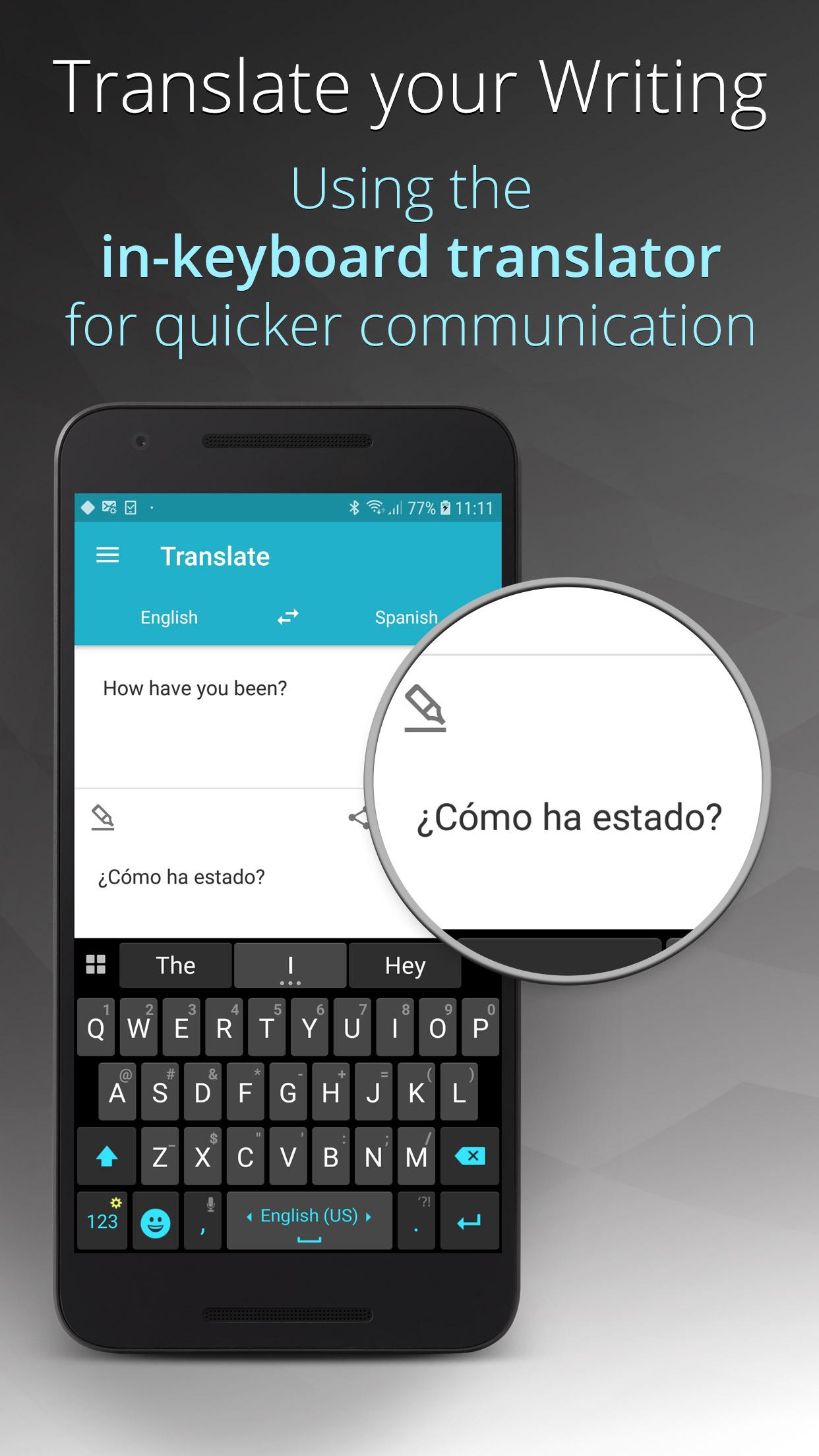
Make the most of your idle time and try one of our old-school games. Play a quick game of Snake, Squash (Pong-like), Copter, 2048 or Sliding Puzzle without leaving your keyboard - ▪ Translate
Express yourself with translations between more than 58 languages. - ▪ Advanced sentence rephrasing
Spice up your text with new variations for your sentences, and discover alternative ways to write your text. - ▪ Ginger Page
Ginger offers a better way to write in English. Tap into Ginger Page, and enjoy our powerful editing tools to quickly review your text for any grammar, spelling and punctuation issues, personalized dictionary, synonyms, translation and more.
Languages support, including:
English (US, UK)
Esperanto
Español (ES, AL, US)
Dansk
Deutsch
Ελληνικά
Français (FR, CA)
Hebrew
Italiano
Norsk bokmål
Nederlands
http://help.gingersoftware.com/hc/en-us/articles/201930542-Which-input-languages-does-Ginger-support-
Join Ginger Beta Community:
Join our Beta to help form the future of Ginger Keyboard: https://goo.gl/4HgIaz
** Ginger corrections feature is a freemium feature - enjoy 8 corrections or upgrade for unlimited usage! **
Technical Support:
For more information and assistance, visit our Help Center, or open a support request: http://help.gingersoftware.com/hc/en-us/
Follow us on Facebook:
https://www.facebook.com/GingerProofreader/
Privacy and Security issues:
Ginger never stores or collects your personal information, including username, passwords or credit card info. All this information is completely handled by each third party service and can't be accessed by Ginger.
Requirements (Latest version)
Android requirement is not listed in the current metadata.


