

About this listing
Article Rewriter - Rewrite AI is listed with version, update, developer, screenshots, permissions, source, and compatibility details from the available app metadata.
APK and source facts
Before you install
- Android requirement is not listed in the current data.
- Package size is not listed in the current data.
- The source link points to a Google Play listing.
Listing evidence
Article Rewriter - Rewrite AI includes version 1.4.4, last update Jan 27, 2026, 21 screenshots, privacy policy link in the current metadata.
The current metadata notes that permission list is not available.
FungoApp review for Article Rewriter - Rewrite AI
Article Rewriter - Rewrite AI by Softo Tech is listed in Education. This page organizes the available metadata into a practical review format, including version 1.4.4, Android requirement not listed, update date Jan 27, 2026, rating 2.1 out of 5, and install signal 10,000+.
Browse learning apps by checking subject coverage, lesson format, offline use, child-safety signals, progress tracking, and whether paid content is clearly disclosed. For Article Rewriter - Rewrite AI, use the details below as a checklist before you decide whether the app fits your device, privacy expectations, and use case.
Install decision context for Article Rewriter - Rewrite AI
Article Rewriter - Rewrite AI is best reviewed as a Education listing from Softo Tech, not as a direct APK file from FungoApp. The current signals show version 1.4.4, Android requirement not listed, last update Jan 27, 2026, rating 2.1 out of 5, install signal 10,000+, and monetization that contains ads and does not list in-app purchases in the current data. Use those signals together: a popular listing can still be a poor fit if the permissions, update age, or account requirements do not match your intended use.
Use-case fit analysis
Article Rewriter - Rewrite AI is presented around this purpose: "AI Rewriter offers plagiarism checker, grammar Checker, paraphrase, & summarizer" A good fit is more likely when that purpose matches the category, screenshots, version history, and the kind of access the app requests. If you only need a narrow task, compare this listing with simpler alternatives before leaving FungoApp for the external source.
Permissions and privacy interpretation
Article Rewriter - Rewrite AI does not include a permission list in the current FungoApp data. That missing field reduces review confidence, so readers should check the Android install prompt and source listing before using personal data or granting sensitive access.
Version and update interpretation
The listing shows version 1.4.4, updated Jan 27, 2026, package size not listed, and Android requirement not listed. Newer updates can indicate maintenance, but the practical question is whether the listed Android requirement fits your device and whether recent changes explain why the app needs its current permissions and storage footprint.
Screenshot review prompts
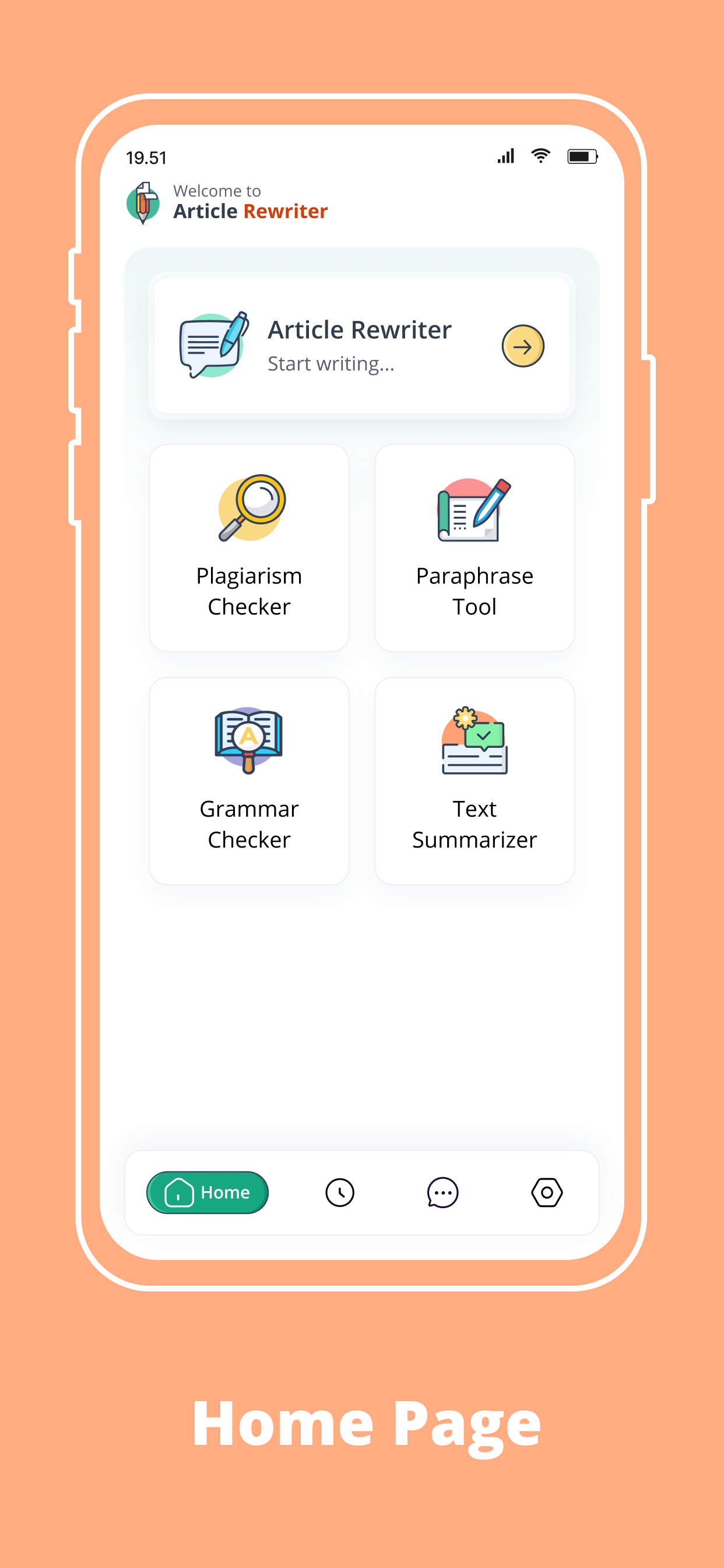
Article Rewriter - Rewrite AI includes 21 screenshots in the current listing data. Use them to confirm the interface, account prompts, ads, paywalls, editing tools, game style, or workflow before you open the source page. Screenshots are evidence of presentation, not independent proof of package behavior.
Use case fit
Article Rewriter - Rewrite AI is summarized as: "AI Rewriter offers plagiarism checker, grammar Checker, paraphrase, & summarizer" Compare that promise with the screenshots, category, update notes, and related apps before installing.
Version and compatibility
The listing shows version 1.4.4, Android requirement not listed, package size not listed, and last update Jan 27, 2026. These details matter because older devices, large packages, and stale updates can change the install experience.
Privacy and permissions
Article Rewriter - Rewrite AI does not include a permission list in the current metadata, so review the source listing and Android install prompt carefully.
Review checklist
- Confirm the developer name and source listing before installing.
- Review version, Android requirement, package size, and update date.
- Compare requested permission access with the feature you actually need.
- Read recent change notes and ratings as signals, not as guarantees of safety.
Comparison prompts
- Compare Article Rewriter - Rewrite AI's developer and source link with other Education options before installing.
- Check whether version 1.4.4 and Android not listed match your device.
- Review the source listing carefully because FungoApp does not currently have a permission list for this app.
- Compare against related listings such as Tanzil (Quran with Tajweed) and WePass WSET - Wine Level 2 for feature scope and privacy tradeoffs.
Publisher notes
- FungoApp organizes public listing metadata into review notes and comparison checklists for Article Rewriter - Rewrite AI.
- FungoApp does not host the APK file, modify the app package, or claim independent file verification from the current data.
- The 2.1 rating suggests readers should compare recent reviews, alternatives, and the app's stated purpose carefully. 10,000+ installs provide a modest adoption signal; compare it with category fit and developer transparency.
Developer-provided description
What is AI Text Rewriter App?
Rewrite Text is an ultimate app that helps you automatically rewrite content and make it more compelling for readers. It works using smart AI and vast datasets to understand your actual content, then it creates an improved & fresh version within seconds. While rewriting, the app incorporates appropriate words, rewrites sentences, and polishes the overall tone of your writing.
Additionally, the AI rewriter & spinner app offers other tools, including a Paraphrasing tool, Grammar Checker, Plagiarism Checker, and AI Summarizer.
Other Tools of the AI Text Rewriter App
Below is a brief explanation of the other writing & proofreading tools offered by the text
rewriter app;
Paraphrase Tool:
Paraphrasing free app lets you rephrase sentences, paragraphs, blogs, articles, and more. While paraphrasing, it keeps the actual meaning unchanged. You can use it to create new and unique paraphrases for any text, improve readability, and enhance clarity.
AI Summarizer:
Another useful tool of the rewrite AI app is the AI summarizer that helps to seamlessly generate a summary for your article, research paper, blog, or other content.
Grammar Checker:
The grammar checker tool of the app allows you to automatically check and correct English grammar, spelling, and punctuation issues. It analyzes your writing contextually and highlights even complex and minor mistakes of English grammar & typos, and it suggests correct words to fix errors. You can use the Grammar checker app for proofreading different types of writing.
Plagiarism Checker:
The article rewriter app offers an AI plagiarism checker tool as well to accurately check plagiarism in your written content. It does deep analysis using the latest algorithms and identifies plagiarized text pieces. The plagiarism checker free app provides the percentage of unique content and plagiarism.
How to Use Rewriter AI - Paraphrase App?
Just follow these simple steps to use our AI rewriting & proofreading app;
• Just open the Rewrite AI app, and you’ll see multiple tools: Article Rewriter, Plagiarism Checker, Paraphraser, Grammar Check, & AI Summarizer.
• Select any tool, and enter your text into the input box.
• Click the highlighted button as per the tool you chose.
• Copy or Download results.
Key Features of AI Rewriter-Paraphrasing App
Here are the prominent features of our free paraphrase app that make it stand out;
Support Different File Formats
The rewrite AI text app allows you to upload content in TXT, DOC, & PDF form. So, users can choose any file format with which they feel more comfortable.
Easier to Use:
All the tools of our ai rewriter app are designed with a simple interface that doesn’t require extra efforts or technical expertise. You can get the desired result with just a single click.
Accurate Results:
Using sophisticated AI algorithms, our app precisely checks grammar, detect plagiarism, rewrites sentences, paraphrases paragraphs, and generates AI summaries.
Rewriting & Paraphrasing Modes
The article rewriter app comes with multiple rewriting modes, including Word Changer, Sentence Rewriter, & Plagiarism checker. In addition, our paraphrase tool allows you to rephrase text in Fluency, Standard, & Creative modes.
Safe and Secure
It is a completely secure and protected app that doesn’t store any of your data.
Multilingual
Another standout feature of the text rewriter app is that it supports a wide range of languages
Download the Rewrite AI Text app and make your writing smarter, streamlined, and error-free.
Requirements (Latest version)
Android requirement is not listed in the current metadata.