





About this listing
Video Converter - Remux is listed with version, update, developer, screenshots, permissions, source, and compatibility details from the available app metadata.
APK and source facts
Before you install
- Android requirement is not listed in the current data.
- Package size is not listed in the current data.
- The source link points to a Google Play listing.
Listing evidence
Video Converter - Remux includes version 1.2.9, last update Aug 31, 2024, 16 screenshots, privacy policy link in the current metadata.
The current metadata notes that permission list is not available.
FungoApp review for Video Converter - Remux
Video Converter - Remux by REMUX TECH PRIVATE LIMITED is listed in Video Players & Editors. This page organizes the available metadata into a practical review format, including version 1.2.9, Android requirement not listed, update date Aug 31, 2024, rating 4.5 out of 5, and install signal 100,000+.
Browse Android app listings with metadata, source links, version details, compatibility notes, screenshots, and permission signals that help you compare apps before installing. For Video Converter - Remux, use the details below as a checklist before you decide whether the app fits your device, privacy expectations, and use case.
Install decision context for Video Converter - Remux
Video Converter - Remux is best reviewed as a Video Players & Editors listing from REMUX TECH PRIVATE LIMITED, not as a direct APK file from FungoApp. The current signals show version 1.2.9, Android requirement not listed, last update Aug 31, 2024, rating 4.5 out of 5, install signal 100,000+, and monetization that contains ads and offers in-app purchases. Use those signals together: a popular listing can still be a poor fit if the permissions, update age, or account requirements do not match your intended use.
Use-case fit analysis
Video Converter - Remux is presented around this purpose: "Convert video or compress video to mp4, webm, mov, mp3 and more..." A good fit is more likely when that purpose matches the category, screenshots, version history, and the kind of access the app requests. If you only need a narrow task, compare this listing with simpler alternatives before leaving FungoApp for the external source.
Permissions and privacy interpretation
Video Converter - Remux does not include a permission list in the current FungoApp data. That missing field reduces review confidence, so readers should check the Android install prompt and source listing before using personal data or granting sensitive access.
Version and update interpretation
The listing shows version 1.2.9, updated Aug 31, 2024, package size not listed, and Android requirement not listed. Newer updates can indicate maintenance, but the practical question is whether the listed Android requirement fits your device and whether recent changes explain why the app needs its current permissions and storage footprint.
Screenshot review prompts
Video Converter - Remux includes 16 screenshots in the current listing data. Use them to confirm the interface, account prompts, ads, paywalls, editing tools, game style, or workflow before you open the source page. Screenshots are evidence of presentation, not independent proof of package behavior.
Use case fit
Video Converter - Remux is summarized as: "Convert video or compress video to mp4, webm, mov, mp3 and more..." Compare that promise with the screenshots, category, update notes, and related apps before installing.
Version and compatibility
The listing shows version 1.2.9, Android requirement not listed, package size not listed, and last update Aug 31, 2024. These details matter because older devices, large packages, and stale updates can change the install experience.
Privacy and permissions
Video Converter - Remux does not include a permission list in the current metadata, so review the source listing and Android install prompt carefully.
Review checklist
- Confirm the developer name and source listing before installing.
- Review version, Android requirement, package size, and update date.
- Compare requested permission access with the feature you actually need.
- Read recent change notes and ratings as signals, not as guarantees of safety.
Comparison prompts
- Compare Video Converter - Remux's developer and source link with other Video Players & Editors options before installing.
- Check whether version 1.2.9 and Android not listed match your device.
- Review the source listing carefully because FungoApp does not currently have a permission list for this app.
- Compare against related listings such as Video Maker & Photo Music and Calculator - photo vault for feature scope and privacy tradeoffs.
Publisher notes
- FungoApp organizes public listing metadata into review notes and comparison checklists for Video Converter - Remux.
- FungoApp does not host the APK file, modify the app package, or claim independent file verification from the current data.
- The 4.5 rating with 12,361 rating entries is a useful popularity signal, but it should still be checked against update date, permissions, and the source listing. 100,000+ installs provide a modest adoption signal; compare it with category fit and developer transparency.
Developer-provided description
You can convert video to mp3, mp4, mov, webm, mkv, hevc, WMV, avi, flv, mpg, 3gp, m4v, flash, f4v, ts, mts, ogv, gif
Alternatively, you can use it as an audio extractor from video to mp3, m4a, wav, aif, flac.
This app supports a wide range of video and audio codecs, including Flash, HEVC, VP9, AV1, MPEG2, MPEG4, H.264, H.265, AAC, and FLAC.
This app also includes a powerful video compressor that can compress your videos to reduce file size without any loss in quality.
You can import batch videos to convert and compress at the same time.
Common Use cases:
- Convert Video to MP4, MOV, Flash, WebM, and more
- Mp3 converter ( Extract audio from video, video to mp3 converter )
- Video compress (Shrink video size)
- Convert Video to Gif
- Change Video Resolution or Video frames per second
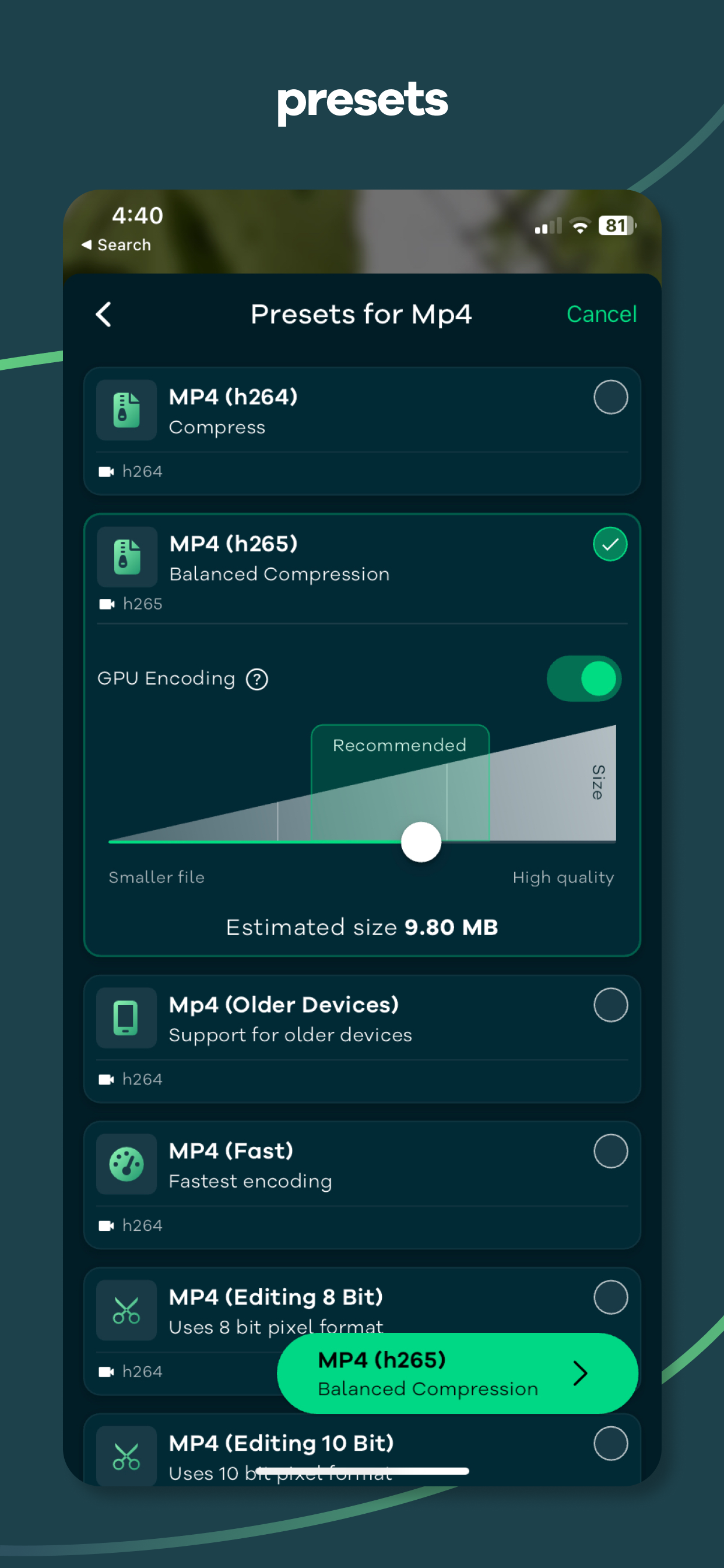
We have also included over 25+ presets (Pre defined settings) so that you don't have to go through complicated export settings.
For example:
- Preset that prioritize video quality
- Optimized for speed and reasonable quality
- For video editing purpose that preserve the alpha channel of the video with higher bitrate
- Preset that support for older devices
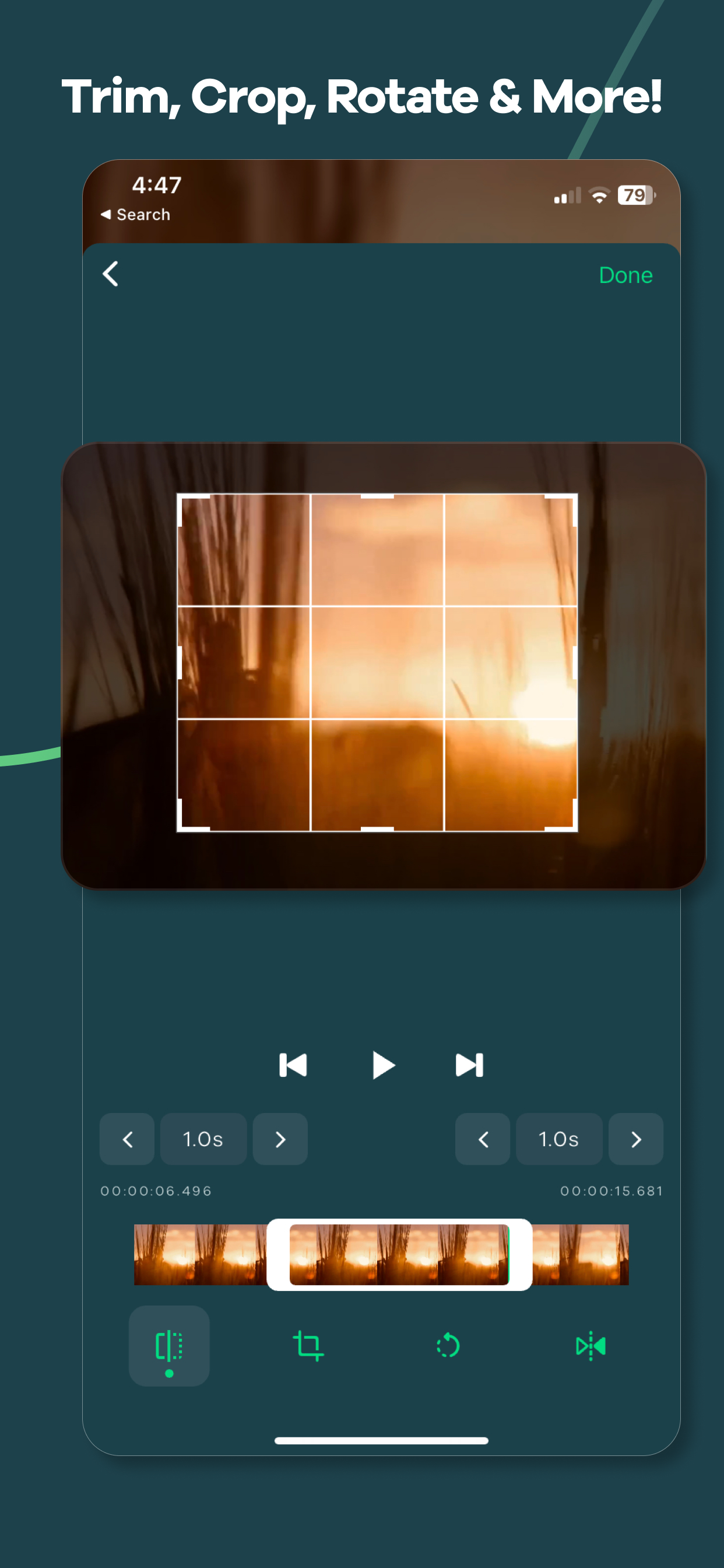
This app allows you to tweak all the settings like bitrate, video codec, audio codec, resolution, FPS, pixel format, audio track, Crop, Rotate, Trim, Flip and so much more.
How to use:
1. Import video by tapping the Gallery or File button or drag and drop.
2. Select the output format by tapping the "Format" button, After selecting the format app will choose the best quality settings for the selected format.
3. Tap the "Convert" button to start conversion.
We are actively working hard on this project and we try to include more and more feature as fast as possible we how you like our app.
So what are you waiting for? Give it a try, It's free!
This project uses the code of ffmpeg.org and you can download the source code from https://remux.app/source and review the build steps from readme.md.
Privacy Policy: https://remux.app/privacy_policy
Terms and Conditions: https://remux.app/terms_and_conditions
Requirements (Latest version)
Android requirement is not listed in the current metadata.


